Concentration Card Game Online How to Play and Win
By Rajat Agarwal, Founder of Play Solitaire Gaming
Learn how concentration card game online works, from rules and variants to strategy, accessibility tips and best browser options to play instantly.
You open a browser, flip a card, and see a blue star. You tap another card, hoping for its match, but reveal a green leaf instead. The first card disappears from view, yet its location stays in your mind. On the next turn, that remembered star becomes useful.
That small loop is why the concentration card game online remains engaging. It takes seconds to start, works well in short sessions, and gives every flip a purpose. You aren't just looking for identical pictures. You're building a mental map, testing it, and updating it after every turn.
This guide begins with the game's history and memory process, then shows the exact rules, explains browser and mobile controls, and introduces practical strategies. It also covers accessibility for older adults and low-vision players, plus the features that matter when you're choosing a no-download version.
Table of Contents
- Introduction to Playing Concentration Online
- What Concentration Is and How It Trains Memory
- How to Play Concentration Rules and Setup
- How Online Concentration Works on Browser and Mobile
- Proven Strategies to Remember More and Match Faster
- Where to Play Concentration Online and What to Look For
- Troubleshooting Accessibility and Brain Training Tips
Introduction to Playing Concentration Online
Online Concentration suits the moment when you want a focused activity without installing an app or learning a complicated rule set. You open a game, select a card, and receive immediate feedback. A match rewards your observation, while a mismatch gives you information for later.
The digital format preserves the central experience of the physical game. Cards appear in a grid, each one hides an image or symbol, and your task is to remember where matching pairs are located. The screen handles shuffling, timing, scoring, and card animation, so you can concentrate on decisions rather than setup.
A browser version can also make practice more flexible. You might play a short solo round on a phone, use a larger tablet display for easier viewing, or switch to a desktop when you want more room between cards. The essential challenge stays the same, even though the interface changes.
Practical rule: Treat every revealed card as useful information, even when it doesn't produce a match.
By the end of this guide, you'll know how to follow the complete turn cycle, organize the board in your mind, and avoid common memory traps. You'll also know what to check before choosing an online game, especially if you need larger controls, clear feedback, or progress that remains available across devices.
The aim isn't to rush every decision. A good round rewards attention, recall, and consistent observation. Once those habits become familiar, a board that first looks like a collection of identical face-down cards starts to feel like a map with landmarks.
What Concentration Is and How It Trains Memory
Concentration has a long history. Its roots reach back to the late nineteenth century, when Pelmanism was used as a memory-training exercise and named after the Pelman Institute. The matching format later became internationally familiar through Ravensburger's commercial boxed game Memory, released in 1959 (Card Rules Plus explains the game's historical development).
Television also helped the mechanic reach a broad audience. The U.S. show Concentration premiered on August 25, 1958, remained on NBC for 14 1/2 years, and ended its network run on March 23, 1973. One historical account records 3,770 telecasts during its first run, illustrating how durable the memory-game format became in mass entertainment (The Strong National Museum of Play recounts the show's history).
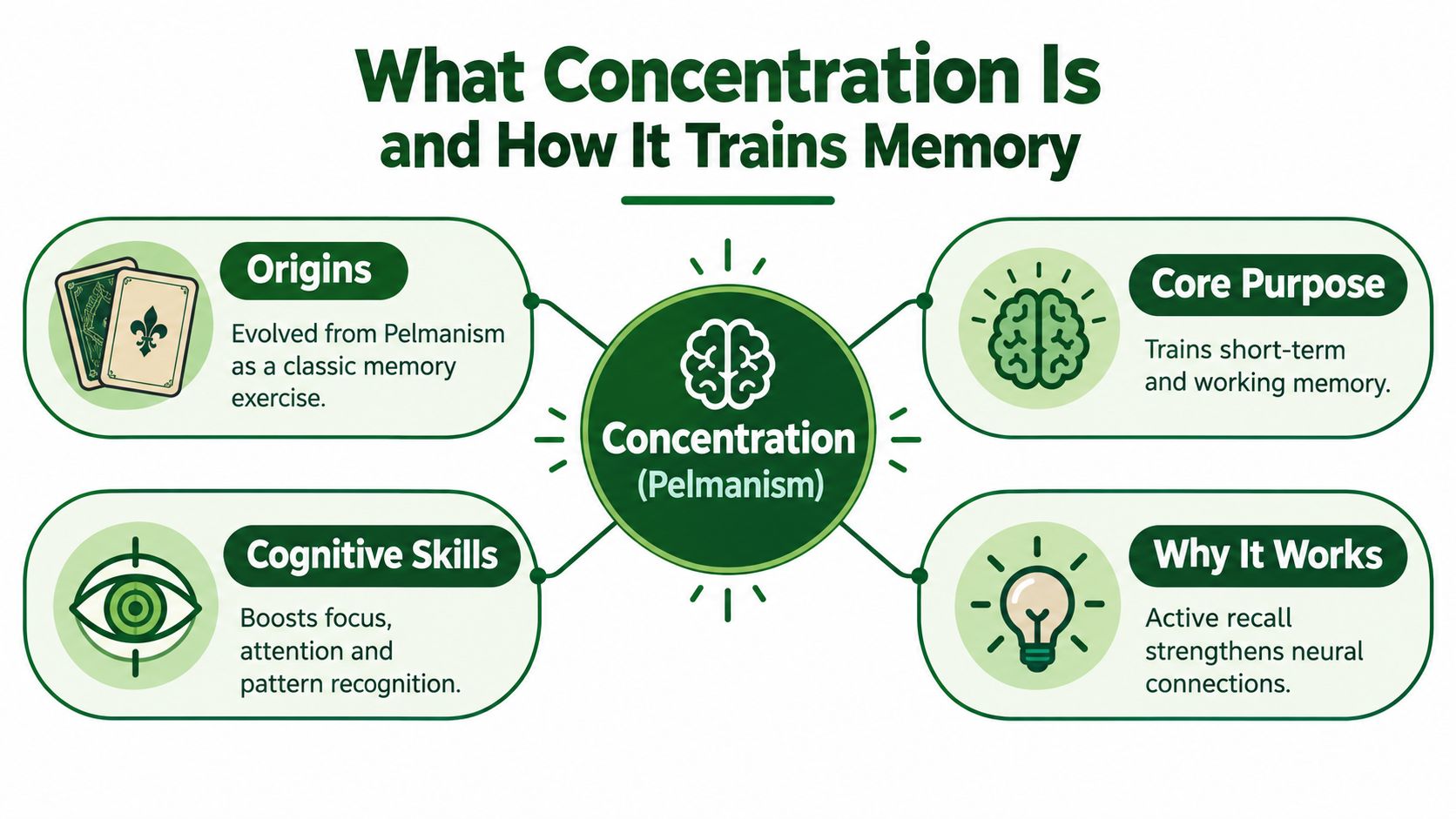
The mental loop behind each turn
Think of each card location as a small sticky note in your mind. You see the card, attach its image to a position, and try to keep that note available until a later turn. When you reveal another card, you compare the new information with the notes you've stored.
That process has three parts:
- Encoding: You notice the symbol and its location.
- Retention: You keep that pairing in mind while other cards appear.
- Recall: You retrieve the location when you think you've found its match.
An online board makes this process a grid-based visual working-memory task. You must encode positions, retain them across turns, and recall them at the right moment. The difficulty isn't only recognizing a picture. It comes from managing limited working-memory capacity while the board repeatedly asks you to reveal, compare, and decide (MindGames describes the attention and recall demands of memory games).
Why active recall beats passive scanning
Passive scanning means looking over the board and hoping a matching image becomes obvious. Active recall is more deliberate. You ask yourself, “Where did I see the yellow circle?” and attempt to retrieve its location before turning anything over.
That difference matters because the game makes you act on memory. A card you can vaguely recognize may not help unless you can connect it to a precise place on the grid. This is also why a resource on whether brain games make you smarter should be read with realistic expectations. Concentration gives you a structured way to practise attention and recall, but it isn't a substitute for broad learning or medical care.
The game trains a useful habit: observe carefully, hold information briefly, and retrieve it when needed. Strong play comes from reducing mental clutter, not from turning every decision into a race.
How to Play Concentration Rules and Setup
Start with a deck containing matching pairs. Shuffle the cards, then place every card face down in a neat arrangement. Players shouldn't know which symbols occupy which positions.
A standard deck can be arranged as a 4-by-13 grid. If jokers are included, one published rule set uses six rows of 9 cards (GameRules describes these Concentration layouts). Online games may use smaller boards or custom themes, but the underlying sequence remains familiar.
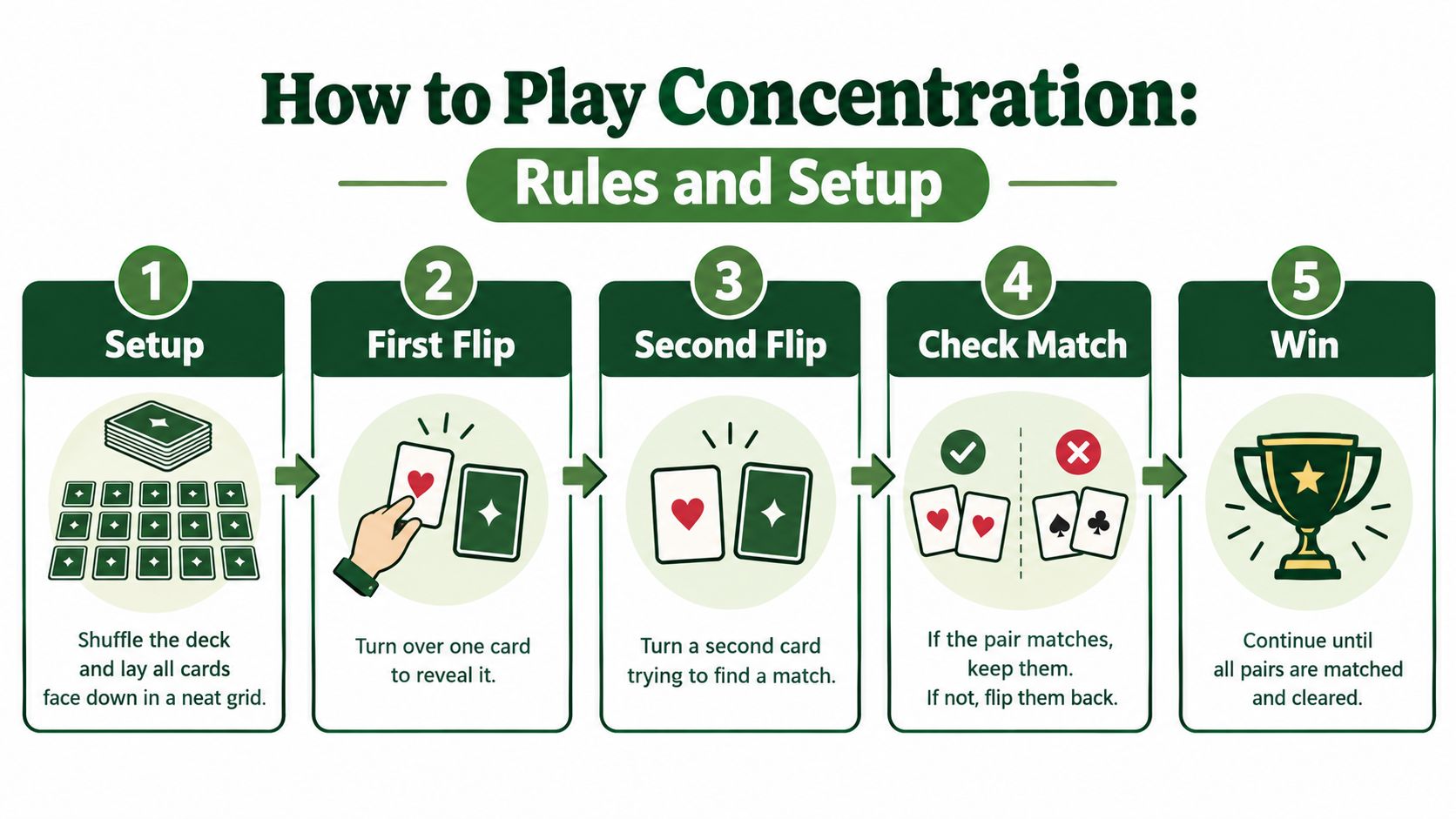
Follow the turn sequence
- Choose the first card. Turn over one face-down card and study its symbol and position.
- Choose the second card. Reveal another card, trying to connect it with something you remember.
- Check the result. If the cards match, keep the pair. If they don't, turn both cards face down again.
- Continue correctly. A matching pair lets the same player take another turn. After a mismatch, the turn passes to the next player.
- Finish the board. Play continues until every pair has been found and removed or collected.
The physical rule is simple, but the timing creates the challenge. During a mismatch, both cards become hidden again, so you must remember information that isn't currently visible. A successful player doesn't treat a failed turn as wasted. The revealed locations become evidence for a later decision.
A short example
Suppose you reveal a moon in the upper-left area and a triangle near the bottom. They don't match, so you close both cards. Later, you uncover the same moon somewhere else. Your best move is to select the upper-left position, not a random card.
If you find a match, keep both cards in your mental record as resolved. You no longer need to search those positions, which reduces the number of possibilities still competing for attention.
Remember: The objective isn't merely to identify pairs. It's to remember their positions after the cards disappear.
Some online versions play automatically as a solo puzzle. Others simulate turns between players or provide a timed mode. Check the instructions if the game awards another turn after a match, because digital variants can adjust that detail while preserving the basic reveal-and-compare mechanic.
How Online Concentration Works on Browser and Mobile
A browser-based game translates the physical table into a responsive interface. The cards become tiles in a grid, face-down backs hide the symbols, and a tap or click triggers the flip animation. After the second selection, the game usually pauses briefly so you can register the result before keeping the pair or hiding the mismatch.
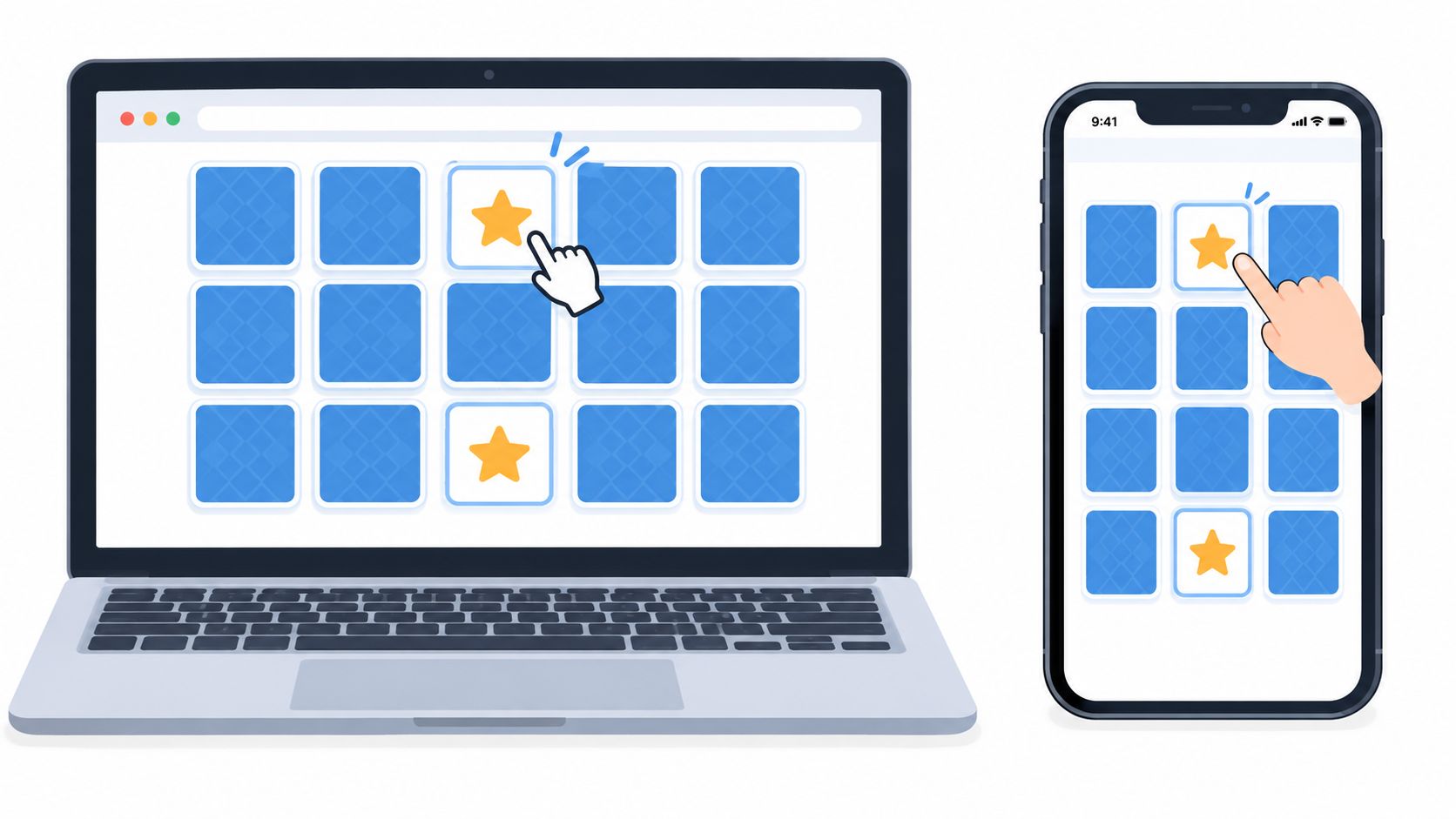
What changes on a small screen
On a desktop, a wide grid can leave enough space for each card to remain distinct. On a phone, the same board may require smaller tiles or scrolling. A good interface keeps the card targets easy to tap, prevents accidental double selections, and gives clear visual feedback when a card flips.
The interaction loop should stay short:
- Tap one card.
- Observe the symbol.
- Tap a second card.
- Read the match or mismatch feedback.
- Continue when the board is ready.
This low-friction design supports quick sessions because you don't need a download, account, or lengthy setup. Ad-free solitaire apps offer a useful comparison point for the same principle: fewer interruptions leave more attention for the card task itself.
Solo play, competition, and feedback
Solo Concentration lets you focus on your own recall. A score, move count, timer, or streak can provide structure, but these features shouldn't obscure the board. Multiplayer versions add turn indicators and waiting states, so players need to know who acts next and whether a pair earned another turn.
Animations can help when they're brief and readable. A clear flip confirms that the tap worked, while a distinct match state shows which cards are no longer active. Excessive motion, delayed responses, or advertisements between turns can interrupt the memory trace you're trying to maintain.
The following video offers a visual introduction to the matching-game experience:
A dependable browser game should also resize the board without changing the logic of the challenge. Whether you play on a laptop, smartphone, or tablet, the card positions need to remain stable enough for you to form a reliable mental map.
Proven Strategies to Remember More and Match Faster
Speed comes after structure. If you flip cards quickly without remembering their locations, each turn creates more noise. A consistent method helps you make fewer repeated guesses and lowers the amount of information competing for attention.
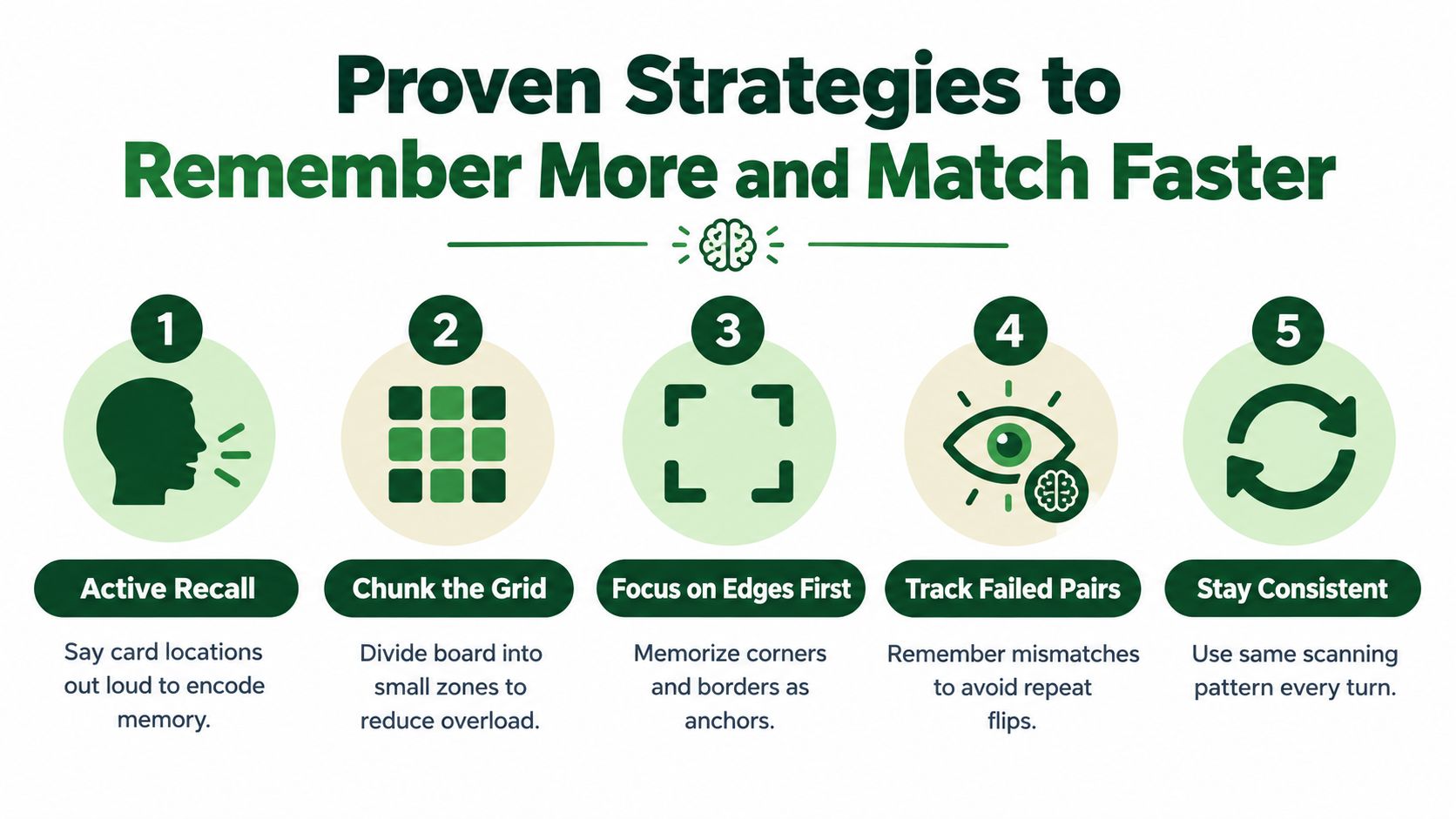
Build a location map
Begin with the edges. Corners and borders give you stable anchors, so you can describe a card as “the red flower at the top edge” rather than relying on a vague visual impression. Then work inward using the same path each turn.
Divide the board into zones, such as upper-left, upper-right, lower-left, and lower-right. You don't need to memorize every card simultaneously. First attach a few clear symbols to their zones, then expand the map as the game removes pairs.
Use active recall before flipping
When you suspect a match, pause for a moment and name the target location in your head. For example, “The green leaf is near the right edge, second row.” Only then select the card.
You can also say locations aloud during solo play. Speaking turns a visual observation into a verbal cue, which may make the position easier to retrieve. The aim isn't to narrate every detail forever. It's to create a repeatable encoding habit while you're learning.
Make failed turns productive
A mismatch gives you two facts. Record both positions, then avoid choosing the same unrelated combination again. If you see a blue star at the top and a yellow circle near the bottom, remember both locations even though neither pair was completed.
Strong players don't erase failed turns from memory. They convert them into restrictions.
Keep your scanning pattern consistent. Move across the board from left to right, or inspect one zone at a time. A stable route reduces random visual searching and makes it easier to notice which positions have already been resolved.
For practice, choose a relaxed board and focus on one target at a time. After each mismatch, close your eyes briefly and recall both locations before continuing. This drill shifts your attention from reaction speed to retention, which is the skill the game demands.
Where to Play Concentration Online and What to Look For
The right online game depends on how you want to play. A quick browser round needs immediate access and clean controls. A longer-term option may need statistics, challenges, or progress that remains available when you change devices.
Use this comparison when evaluating a concentration card game online:
| Feature | Why It Matters | What Good Looks Like |
|---|---|---|
| No-download access | Removes installation friction and lets you start from a link | The board loads directly in a current browser |
| Touch support | Small screens require reliable taps and clear targets | Cards flip accurately without accidental selections |
| Ad-free sessions | Interruptions can break your memory of card positions | Play continues without disruptive ad breaks |
| No mandatory signup | Some players want to try a game privately | Core play works before account creation |
| Progress options | Returning players may want streaks, stats, or challenges | Tracking is optional rather than required |
| Cross-device continuity | Phone, tablet, and desktop sessions can serve different needs | Progress can follow you when supported by the service |
| Privacy clarity | Players should understand what an account or sync feature stores | Privacy information is easy to find and plainly written |
Browser simplicity versus persistent services
A simple game can be the better choice when you want a quiet activity for a few minutes. You don't need a leaderboard to practise remembering locations, and a minimal board may keep the cognitive task clear.
Modern mobile card-game products increasingly combine play with live events, social functions, progression, and cross-device continuity. Independent market research projects the mobile card games market to grow from USD 28.15 billion in 2025 to USD 31.10 billion in 2026, and to reach USD 55.42 billion by 2032 (360iResearch's mobile card games market analysis). Those figures describe the broader mobile category, not Concentration specifically, but they help explain why players may now look for more than a standalone clone.
For a related low-friction card-game option, Internet games to play when bored can help you compare quick browser entertainment with longer progression-based play.
A practical choice
Check the board on the device you use most. If you play on a phone, test whether card backs are distinct, text is readable, and the tap area feels forgiving. If you care about privacy, look for a playable no-signup mode and treat cloud sync as an optional convenience rather than a requirement.
Play Solitaire Gaming offers browser-based solitaire variants including Klondike, Spider, FreeCell, Pyramid, Yukon, Golf, TriPeaks, and Forty Thieves, with instant play, hints, and unlimited undo and redo. It isn't a Concentration game, but it fits the same preference for accessible, no-download card play.
Troubleshooting Accessibility and Brain Training Tips
Small interface problems can make a simple memory game unnecessarily difficult. If a card doesn't flip, tap the center of the tile once and wait for the feedback rather than tapping repeatedly. If the board lags, close other browser tabs, reload the page, or move to a stronger connection before starting another round.
Lost progress usually means the game stores results only in the current browser session. If cross-device continuity matters, check whether the service offers optional account-based sync and whether its privacy information explains what it saves. Don't assume that a visible score automatically follows you between devices.
Make the board easier to use
Older adults and low-vision players can face practical barriers that have little to do with memory. Small cards may be difficult to read or manipulate, while crowded layouts make locations harder to distinguish. Guidance for older-adult game design recommends uncluttered layouts, clear fonts, enlarged controls, and immediate feedback, and usability research reports that game usability tends to decline with age (Gerontechnology's review of senior game usability).
Look for these adjustments:
- Increase visibility: Use a larger screen, browser zoom, or a game with strong contrast.
- Reduce clutter: Prefer spacious card layouts and simple symbols.
- Improve control: Choose large tap targets and clear flip feedback.
- Lower pressure: Turn off timers when the game provides that option.
- Support steady play: Take breaks when attention starts to fade.
Concentration can support focused, low-pressure activity because it asks you to observe, remember, and retrieve. Keep the claim modest. It can be a useful mental exercise, but it shouldn't be presented as a cure or guaranteed cognitive improvement. For another perspective on card play and wellbeing, the benefits of playing solitaire discusses related uses such as focus and relaxation.
Start with a comfortable board and a consistent scanning pattern. Give yourself time to learn the interface, then use each mismatch as information. The best session is one that leaves you attentive and willing to play again, not one that strains your eyes or hands.
Choose a no-download card experience that matches your routine, whether you want a short memory challenge or a calm solo game with clear controls. Visit Play Solitaire Gaming to play its browser-based solitaire collection instantly, explore Daily challenges, and practise focused card play without requiring a download or signup.
Ready to play?