Ad Free Solitaire App Guide to Distraction Free Play
By Rajat Agarwal, Founder of Play Solitaire Gaming
Looking for an ad free solitaire app? Learn what ad-free really means, how to choose, and how to play instantly without ads or downloads.
You open a solitaire game for a quick mental reset. You expect cards, a calm screen, and maybe three quiet minutes before your next task.
Instead, a full-screen video appears. Then a tiny close button. Then a redirect you never meant to tap.
That moment is why so many people search for an ad free solitaire app. They aren't only asking for fewer banners. They're asking for a game that starts fast, stays out of the way, and lets their attention remain on the cards instead of on pop-ups, timers, and fake exit buttons.
Solitaire has always fit short breaks because it's simple to enter and easy to leave. Microsoft's bundled Solitaire helped make that expectation mainstream when it launched with Windows 3.0 on May 22, 1990, and Microsoft later said the Solitaire Collection reached over 35 million monthly players, with the franchise reported as having engaged more than 500 million players since launch in coverage discussed in this history of solitaire overview. That history matters because it trained players to expect instant, low-friction play.
An ad free experience brings that original feeling back. It's less about paying for silence and more about protecting flow, battery life, and a little bit of peace.
Table of Contents
- Why Ad Free Solitaire Feels So Different
- What Ad Free Really Means for Solitaire Apps
- How Ad Free Solitaire Is Delivered Today
- Key Features to Evaluate Before You Play
- Inside Play Solitaire Gaming and Why It Fits
- Quick Setup and Tips for Smooth Ad Free Play
- Choose Your Distraction Free Solitaire Path
Why Ad Free Solitaire Feels So Different
You sit down with your phone for one round of Klondike. The first few moves go well. Then the game pauses for an ad, the sound kicks in, and your short break suddenly feels noisy.
That's the difference people notice first. A clean solitaire game feels calm because nothing fights for your attention.
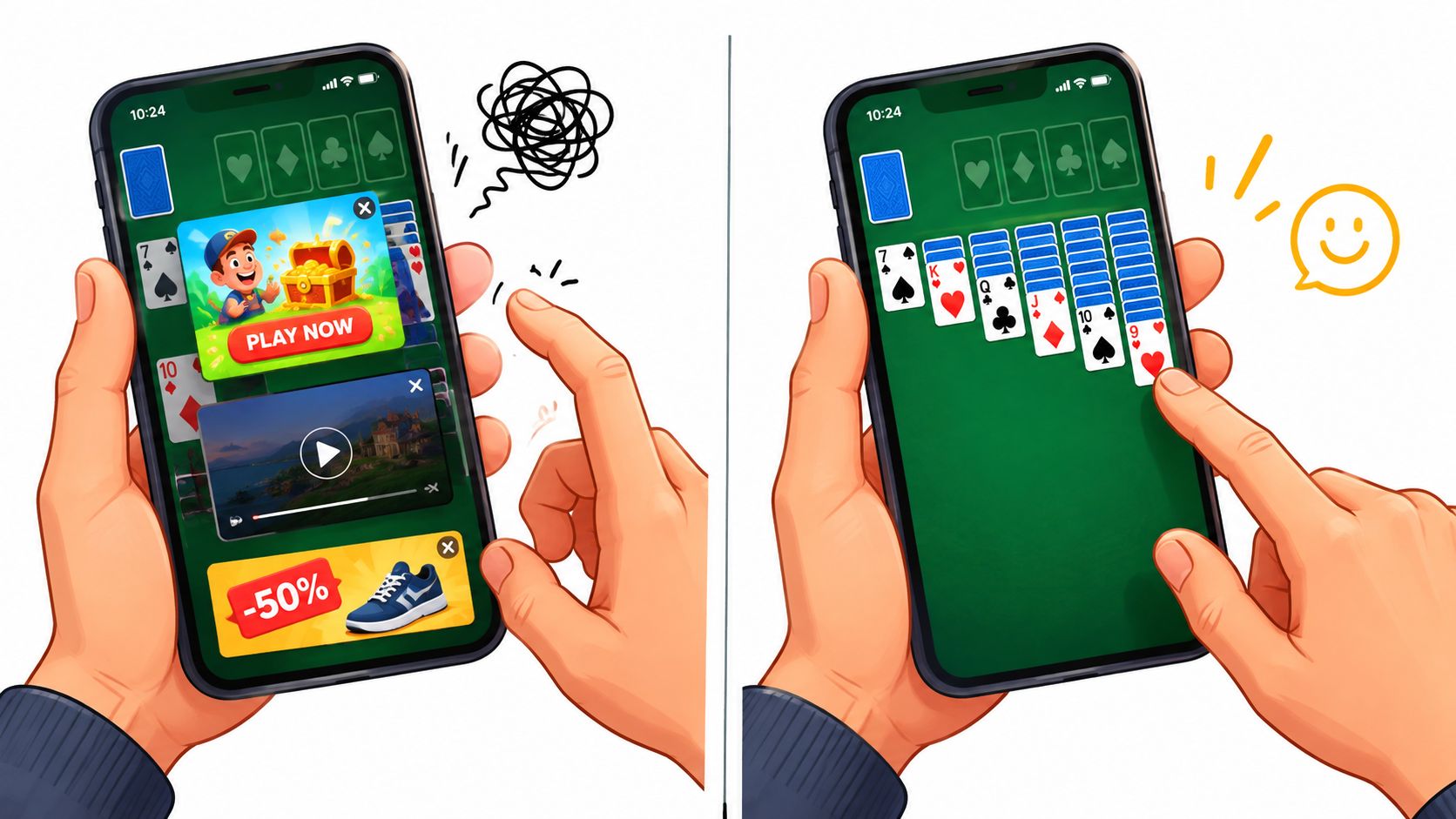
Short sessions need low friction
Solitaire works best in small pockets of time. You might play while waiting for coffee, riding the train, or taking a break between meetings. In those moments, every interruption feels bigger than it would in a long console game.
A distraction-heavy app breaks the rhythm. A distraction-free one lets you enter the game, make decisions, and leave without mental clutter.
Practical rule: If a solitaire app makes you think about ads more than card moves, it's solving the wrong problem.
That's also why browser-based solitaire has become appealing again. It often feels closer to the original promise of the game. Open, play, close. No fuss.
If you enjoy the mental side of the game, this guide on the benefits of playing solitaire is a useful companion because it looks at why people return to solitaire in the first place.
The feeling is about focus, not just absence
People sometimes assume “ad free” means only “no banner at the top.” In practice, the bigger change is how the session feels. Your eyes stay on the tableau. Your thumb doesn't hover, waiting to avoid accidental taps. Your brain doesn't need to recover after a sudden break.
That smoother feeling matters because solitaire is repetitive in a good way. The pleasure comes from seeing patterns, planning sequences, and staying in a light state of concentration. Ads interrupt that loop.
A clean solitaire experience feels different for the same reason a tidy desk feels better than a crowded one. The task hasn't changed. The noise around it has.
What Ad Free Really Means for Solitaire Apps
“Ad free” sounds simple, but the technical meaning is wider than most players realize. A true ad free solitaire app isn't just hiding banners. It's removing the systems that fetch, display, track, and refresh ads in the background.
The difference between a quiet library and a noisy arcade. In the library, the room supports your attention. In the arcade, lights and sounds keep pulling you sideways.
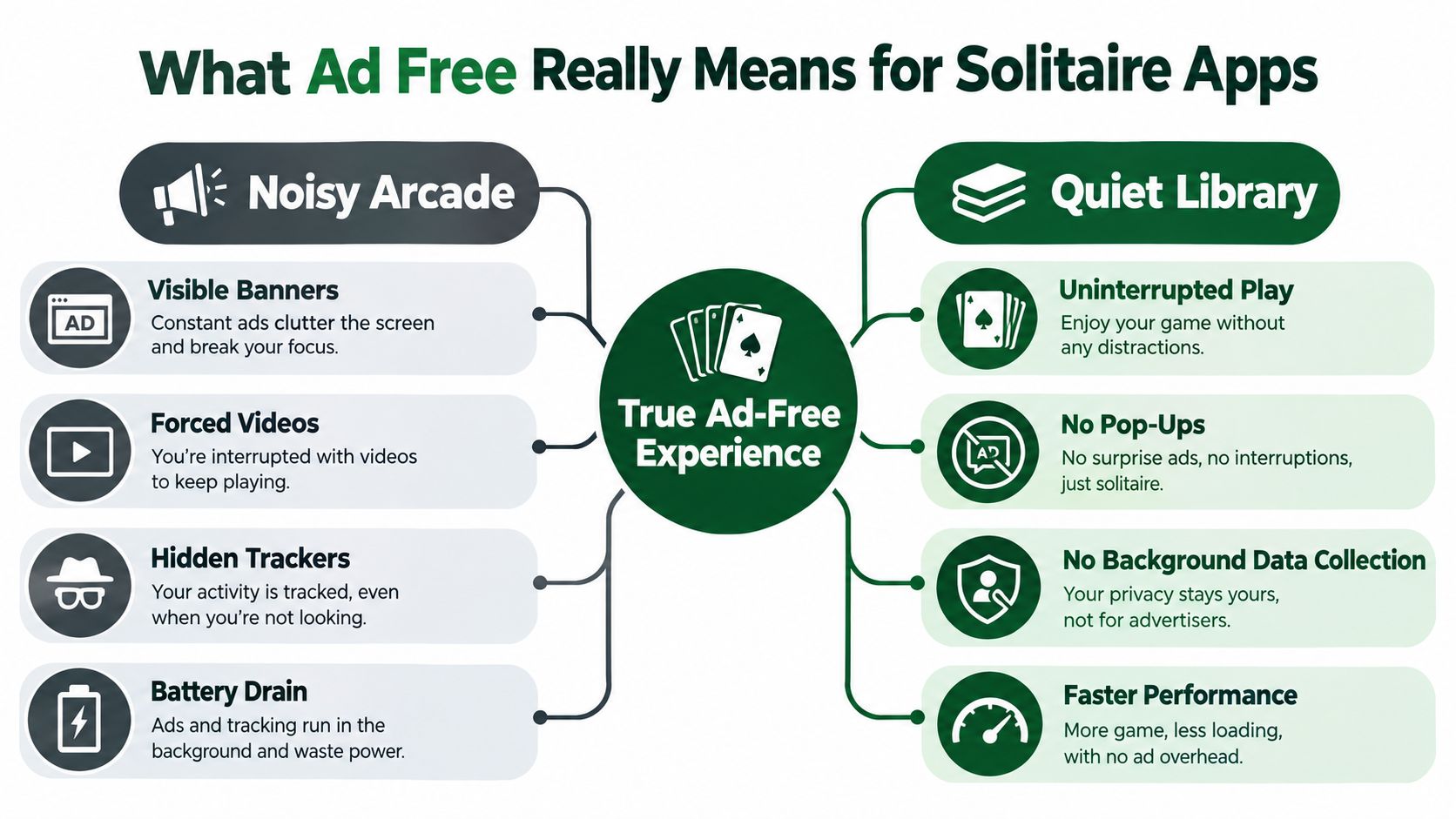
Visible ads are only part of the story
Most players notice the obvious stuff first:
- Banner ads: They shrink the play area and crowd the screen.
- Interstitials: They interrupt the end of a round or appear during pauses.
- Rewarded videos: They ask you to trade time for a feature or continuation.
Those are the visible distractions. But some of the bigger costs are hidden.
Independent mobile UX research reported that with-ads versions had statistically significantly higher performance costs than no-ads versions, and that users were especially sensitive to battery drain rather than data-traffic overhead, as summarized in this mobile advertising performance discussion. In plain terms, ad systems can add extra work to your phone even when you're focused on the cards.
Hidden overhead changes how the game feels
A solitaire app with ad technology may need to load extra code, make network requests, render ad content, and manage tracking activity. You don't have to see those steps to feel them.
That hidden activity can show up as:
- Slower launch time: The game takes longer to become playable.
- More battery use: Extra background work drains power during repeated short sessions.
- Uneven smoothness: Card movement and transitions can feel less consistent.
- More heat on older devices: Modest hardware feels these costs sooner.
A true ad-free experience often feels “lighter” before you can explain why. The game simply gets to the cards faster.
Research on ad-related user feedback also found that complaints commonly cluster around intrusiveness, interruptions, and degraded usability, not just dislike of advertising itself, according to this analysis of mobile marketing friction. That helps explain why some apps feel tiring even when their ad count seems moderate. The issue is the stop-start pattern.
How to spot fake ad-free claims
Some products say “ad free” when they really mean “fewer ads unless you hit a paywall later.” Others remove visible banners but still push prompts, upsells, or clutter that interrupts the same way.
Check for these signs:
- Watch the first launch. If you see no banners but get immediate upgrade prompts, the experience may still be noisy.
- Notice the close of a game. Many interruptions appear between rounds, not during play.
- Read the wording carefully. “Ad free with subscription” isn't the same as ad free by default.
- Test on a weak connection. Cleaner products usually feel more predictable when the network isn't perfect.
When people say they want no ads, they often mean something broader. They want a game that respects their time, attention, and battery.
How Ad Free Solitaire Is Delivered Today
Not every ad-free option arrives the same way. Today, most players end up choosing between three paths: instant browser play, a paid native app, or a free app with purchases that remove ads.
Each model can work. The better choice depends on how often you play and how much friction you're willing to accept.
Three common ways to get ad-free play
A browser game is the fastest route. You open a site and start playing. There's nothing to install, and updates happen in the background without you managing them.
A one-time paid app is familiar to people who want a downloaded game that lives on their phone or tablet. You usually pay upfront and expect the clean experience to come with the purchase.
A free app with in-app purchases or a subscription is the most mixed model. It may let you start for free, then offer ad removal later. Sometimes that works well. Sometimes it turns into a constant reminder to upgrade.
Ad Free Delivery Models Compared
| Delivery Model | Cost Structure | Friction and Updates | Ad Free Reliability |
|---|---|---|---|
| Browser-based solitaire | Usually free at entry, no install required | Very low friction, updates happen on the site | Often clear and consistent if the site is built around no ads |
| One-time paid native app | Upfront purchase | Requires download and manual app management through the store | Usually reliable once purchased, though quality varies by developer |
| Free app with IAP or subscription | Free start, then ad removal may cost extra or recur | Easy to install, but ongoing prompts or account layers may appear | Mixed, because “ad free” may depend on plan status or exclusions |
Match the model to your habits
If you play in quick bursts, browser play often fits best because the start is immediate. It also removes the tiny project of deciding whether an install is worth it.
If you play offline often, a native app may fit your routine better. That's less about ads and more about where and when you play.
If you don't mind evaluating plans, a free app with purchases can still work. Just read carefully. Some players assume they're buying permanent ad removal when they're entering a recurring subscription or accessing only part of the experience.
Simple test: Choose the model that gets you from tapping the icon or page to moving your first card with the fewest surprises.
The market is large enough that these choices matter. Industry coverage reported 348 million downloads worldwide in 2024 for solitaire games across Google Play and the App Store, with $470.2 million in gross player spending, and noted that April 2025 was the highest-ever single month for downloads at 33.5 million, according to this PocketGamer report on solitaire's mobile business. Big demand usually creates more options, but it also creates more monetization styles to sort through.
Key Features to Evaluate Before You Play
Once ads are gone, the next question is simple. Is the game pleasant to use?
A clean screen helps, but it won't rescue clumsy controls or thin game design. Good solitaire should feel readable, responsive, and easy to return to.
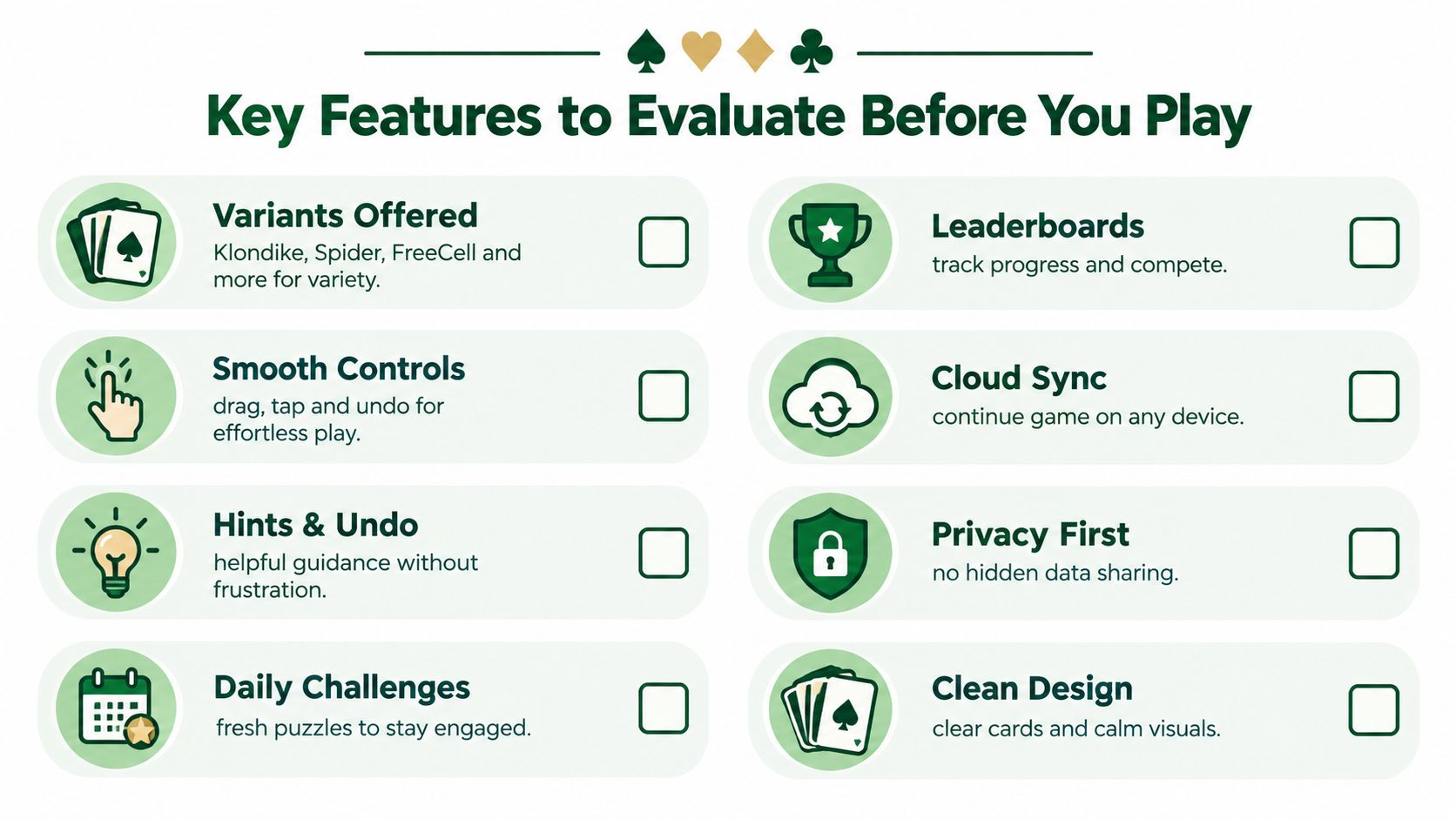
Start with game variety and controls
If you only want classic Klondike, a single-mode app may be enough. If you like changing pace, look for multiple variants such as Spider, FreeCell, Pyramid, or TriPeaks.
Controls matter just as much. Dragging cards should feel natural. Tap-to-move should make sense. Undo should be easy to find, not hidden.
Use this quick checklist when testing any game:
- Variants that fit your mood: Klondike for classic play, Spider for longer planning, FreeCell for strategy-heavy sessions.
- Readable cards and layout: Small or crowded cards create eye strain on phones.
- Touch behavior that feels predictable: Missed drags and awkward taps get frustrating fast.
- Helpful hints: Good hints teach possibilities without taking over the game.
This short video gives a feel for what players often look for in smooth solitaire design and flow:
If you want a broader list of options to compare, this guide to the best free solitaire app can help you narrow your shortlist.
Think about your reason for playing
Players don't all want the same thing. The right feature set depends on your goal.
For relaxation, clean visuals and gentle pacing matter more than competition. For skill-building, unlimited undo and good hints are useful because they let you learn from mistakes. For repeat play, daily challenges and leaderboards add structure.
“A good solitaire app shouldn't force one play style. It should support quick relaxation and deeper practice equally well.”
Privacy and continuity matter too
Cloud sync is useful if you switch between phone, tablet, and desktop. It helps when you care about stats, streaks, or continuing a session elsewhere.
Privacy deserves a quick check as well. A low-friction solitaire product should make optional sign-in feel optional, not mandatory.
A practical review can be as simple as asking these questions:
- Does it have the variants I'll use?
- Do the cards move the way I expect?
- Can I learn without punishment through hints and undo?
- Are stats, streaks, or challenges available if I want them?
- Can I play without handing over more personal data than necessary?
An ad-free game should feel lighter. Its feature set should feel smarter too.
Inside Play Solitaire Gaming and Why It Fits
A useful example is Play Solitaire Gaming, because its setup reflects many of the trade-offs that matter in a distraction-free solitaire experience. It runs in a browser, requires no download, and doesn't require signup to begin playing.
That means the ad-free part isn't attached to a later upgrade screen. It's part of how the product is delivered.
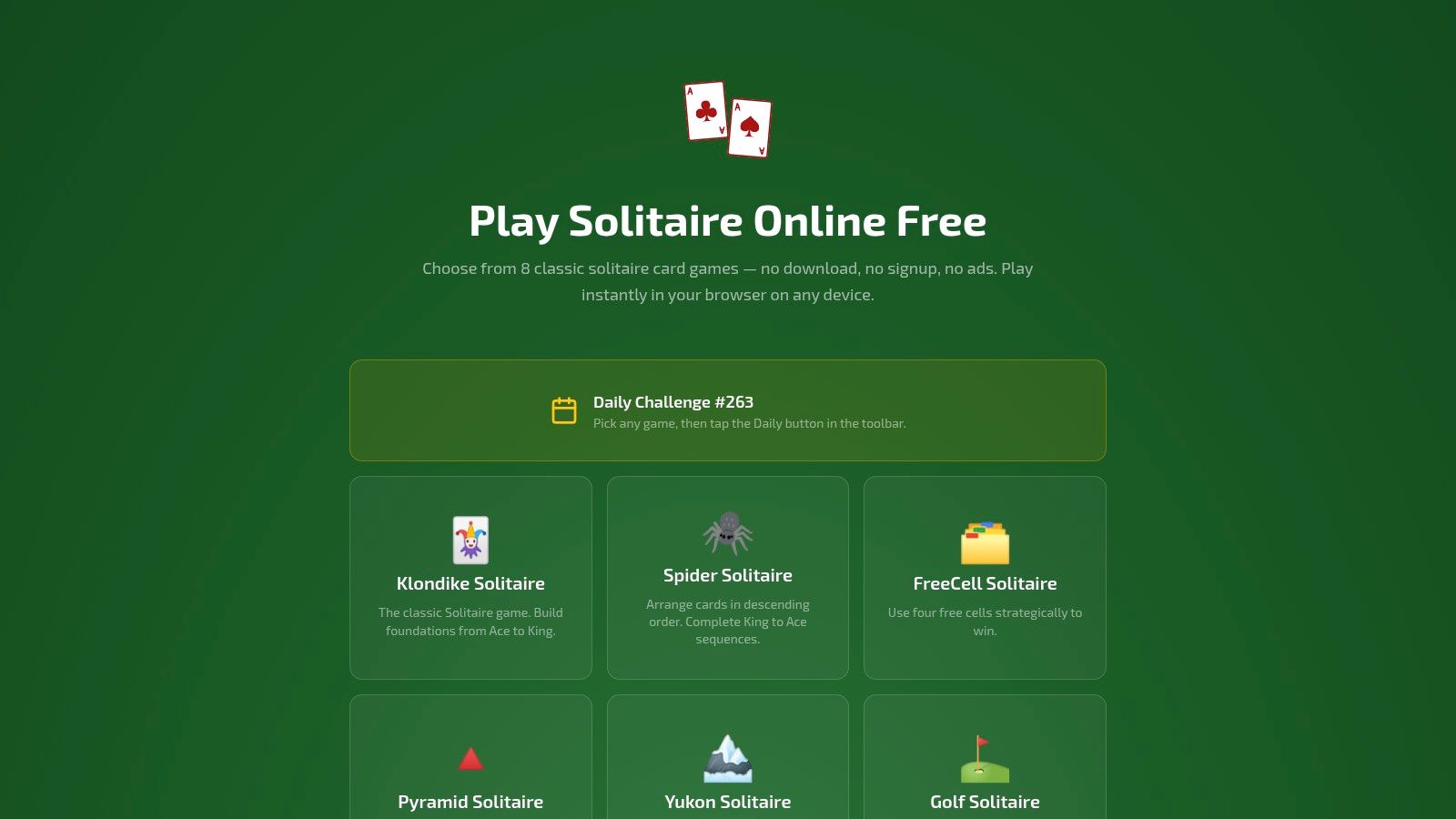
What you get in practice
The site includes eight variants: Klondike, Spider, FreeCell, Pyramid, Yukon, Golf, TriPeaks, and Forty Thieves. That spread covers several common player moods. You can choose a familiar game for routine play or switch to a more tactical variant when you want more challenge.
The controls are designed around browser play, with smooth drag-and-drop, smart hints, and unlimited undo and redo. Those details matter because browser games can feel rough if controls are treated as an afterthought. Here, they're part of the main experience.
Why the model fits the topic
The larger point isn't that one platform is always better. It's that a browser-first, no-signup approach lines up neatly with what many people mean when they search for an ad free solitaire app.
You're often looking for three things at once:
- Instant access: Start without an install decision.
- Low distraction: No banners, pre-rolls, or interstitial breaks.
- Flexible continuity: Optional sign-in only if you want stats to follow you.
Play Solitaire Gaming also adds daily challenges and global leaderboards for players who like a recurring goal. If you care about continuity across devices, optional Google or Apple sign-in supports cloud sync for stats, streaks, and win rates.
A useful benchmark: An ad-free solitaire experience works best when the business model and the user experience point in the same direction.
That alignment is easy to overlook. Some games feel clean during the first minute but become pushy later. A browser-based model with no required account can avoid a lot of that friction if it stays disciplined about the experience.
Quick Setup and Tips for Smooth Ad Free Play
Starting should take less time than shuffling a physical deck. On a phone, tablet, or desktop, open your browser, load the game, and pick a variant that matches your mood.
If you want the fastest learning curve, start with Klondike. If you like planning ahead, try FreeCell. If you want something brisk and satisfying, Golf or TriPeaks can be a nice change of pace.
A simple setup that keeps the game calm
Use these steps:
- Open the game on your usual device. Browser play works well when you want zero install friction.
- Choose one variant first. Don't sample everything at once. Familiarity helps controls feel faster.
- Learn the move system. Spend a minute testing drag, tap, undo, and hint behavior.
- Add sync only if you want it. Optional cloud sync is useful for stats and streaks, but casual players may not need it.
If you're specifically looking for browser-first options, this page on solitaire without advertisements is worth reading.
Tips that improve flow
Hints are best used as teaching tools, not rescue buttons. When the game suggests a move, pause and ask why that move helps. That small habit builds pattern recognition over time.
Undo is useful in the same way. Don't think of it as cheating. Think of it as reviewing your line of play.
A few practical habits make sessions smoother:
- Lower screen brightness a bit: It's easier on your eyes during longer rounds.
- Close extra tabs or apps: Fewer background tasks can make touch play feel more stable.
- Use daily challenges sparingly: They're great for routine, but don't let them turn relaxation into pressure.
- Play one main variant for a week: Repetition helps you see deeper patterns and improves confidence.
Short sessions are part of solitaire's charm. A clean setup protects that charm instead of turning a quick break into another noisy app experience.
Choose Your Distraction Free Solitaire Path
If your main goal is quick relaxation, start with the lowest-friction route. That usually means browser-based play with no install and no account wall.
If you care more about offline access, a paid native app may still make sense. Just make sure you're getting more than a cleaner screen. Good controls, readable cards, and useful tools matter more than labels.
If you're considering a free app that sells ad removal later, slow down and read the details. “Ad free” can mean fully clean, partly clean, or temporarily clean depending on the product. That's where many players get disappointed.
The simplest rule is this: choose the option that protects your attention first. Solitaire is at its best when it feels immediate, quiet, and easy to return to. That's why the phrase ad free solitaire app is really about more than monetization. It's about preserving focus.
Recent cross-market data also highlights why disruption matters so much. A 2025 survey found 52% of gamers in the US, UK, Germany, Vietnam, and Japan would quit if they encountered multiple disruptive ad features, as discussed in this Deloitte look at mobile game advertising. Players aren't only rejecting ads. They're rejecting broken attention.
For mobile-specific options, this guide to solitaire no ads on Android can help if you want a narrower path.
Try the path that asks the least from you first. If it gives you fast loading, clear cards, reliable controls, and no interruptions, you've probably found what you were looking for.
Play Solitaire Gaming offers eight browser-based solitaire variants with no downloads, no required signup, and an ad-free experience built around quick, focused play. If you want a practical example of distraction-free solitaire that also includes hints, undo/redo, daily challenges, and optional cloud-synced stats, visit Play Solitaire Gaming.
Ready to play?