Klondike Solitaire App: Rules, Features, and How to Play
By Rajat Agarwal, Founder of Play Solitaire Gaming
Discover what a klondike solitaire app is, learn the rules and strategies, and find the best ad-free mobile experience.
You open a solitaire game while waiting for an appointment, expecting a quiet round before moving on. Instead, a crowded screen interrupts with ads, the cards are difficult to drag, and your progress disappears when you switch from your phone to a tablet. A well-designed Klondike Solitaire app should make the opposite experience possible: familiar rules, clear controls, useful help, and a game that fits naturally into your day.
Table of Contents
- What Is a Klondike Solitaire App
- Core Rules and Gameplay Setup
- Key Features to Look for in a Solitaire App
- How to Start Playing in Your Browser
- Strategy Tips for Better Win Rates
- Why Play Solitaire Gaming Stands Out
- Frequently Asked Questions
What Is a Klondike Solitaire App
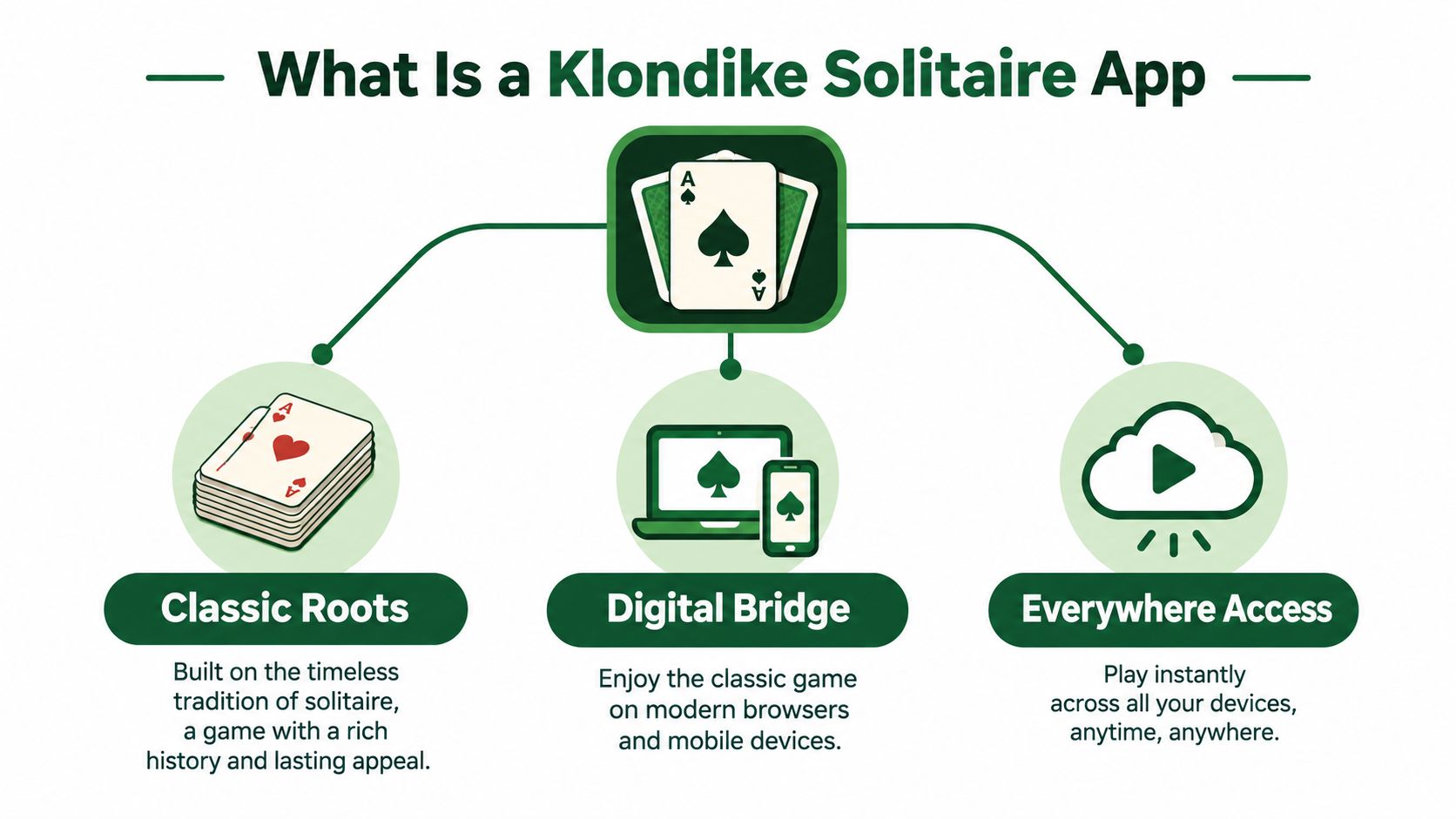
A Klondike Solitaire app is the digital version of the classic single-player card game many people know as “Solitaire.” It brings a traditional deck to a phone, tablet, desktop, or browser while preserving the central objective: build four foundation piles, one for each suit, starting with the Ace and continuing upward to the King.
That simple goal connects paper-card play with modern mobile gaming. Instead of arranging cards on a table, you tap or drag them across a touchscreen. Instead of manually reversing a card or rebuilding a stock pile, the app handles those actions. Useful additions such as undo, hints, automatic card movement, statistics, and optional synchronization can make the experience easier to learn and more convenient to revisit.
From a card table to a touchscreen
Klondike has lasted because each deal combines familiar rules with a different planning problem. You know what the cards must eventually do, but you don't know whether the next move will expose a hidden card, open a useful space, or leave you dependent on the stock. That balance makes the game approachable for new players while giving experienced players room to improve.
The mobile category is large. Industry estimates reported 348 million global downloads across solitaire games in 2024, alongside $470.2 million in gross player spending, while April 2025 recorded 33.5 million downloads worldwide in a single month. These figures cover solitaire games broadly, but they show why Klondike remains commercially important for mobile card-game developers. You can review the category context in this analysis of solitaire's mobile growth.
Why app quality changes the game
Two apps can follow the same Klondike rules and still feel completely different. One may make a legal move obvious and let you recover from a mistake. Another may hide the undo control, place ads between actions, or use tap targets that are too small for comfortable play.
A browser option such as this guide to free Solitaire apps can help you compare the practical details before committing to a download. Look for controls that feel natural, a readable layout, transparent monetization, and settings that support both short casual sessions and deliberate practice.
Core Rules and Gameplay Setup
A Klondike deal starts with a 52-card deck. Seven tableau piles are arranged from 1 through 7 cards, leaving 24 cards in the stock and four spaces for the foundations. Each pile shows one face-up card; the cards beneath it remain hidden, as described in this Klondike setup guide.
The tableau is your main work area. The stock holds cards not yet available, while the waste pile displays cards drawn from it. Foundations are the four finishing piles, one for each suit. Knowing these areas is like learning the layout of a desk before sorting a stack of papers. You can then see which cards are available and which still need to be uncovered.
The objective
Move every card to the foundations in suit order:
- Place an Ace in each foundation.
- Add the 2, then the 3, continuing upward.
- Build each foundation through the King.
- Complete all four foundations to win.
Tableau building follows a different pattern. Cards must descend in rank and alternate color. A red 6 can sit on a black 7, while a red 7 cannot accept that red 6. You may move one exposed card or a correctly ordered face-up sequence, such as a red 8, black 7, and red 6.
Empty spaces and hidden cards
An empty tableau space normally accepts only a King, either by itself or with a sequence attached. Treat that space like an open shelf. Using it too early can leave a sequence without a useful home, while opening it at the right moment can help reveal several hidden cards.
Early moves should often expose face-down cards. Turning one over gives you more information and may reveal an Ace, create a new sequence, or open a route to a foundation. Before moving a card, ask what the move uncovers, not only where the card can go now.
Draw 1 and Draw 3
Many apps provide Draw 1 and Draw 3 modes. Draw 1 shows one stock card at a time, which gives you more control over available moves. Draw 3 reveals cards in groups, making order and timing more important.
The familiar rules remain, but the planning changes. Check the selected draw mode before starting a serious game, and confirm whether the app allows you to recycle the stock. These settings affect how much information you can access and how carefully you must plan each pass through the cards.
Key Features to Look for in a Solitaire App
The best feature isn't the one with the most impressive name. It's the feature that removes a specific source of frustration without taking away the decisions that make Klondike enjoyable.
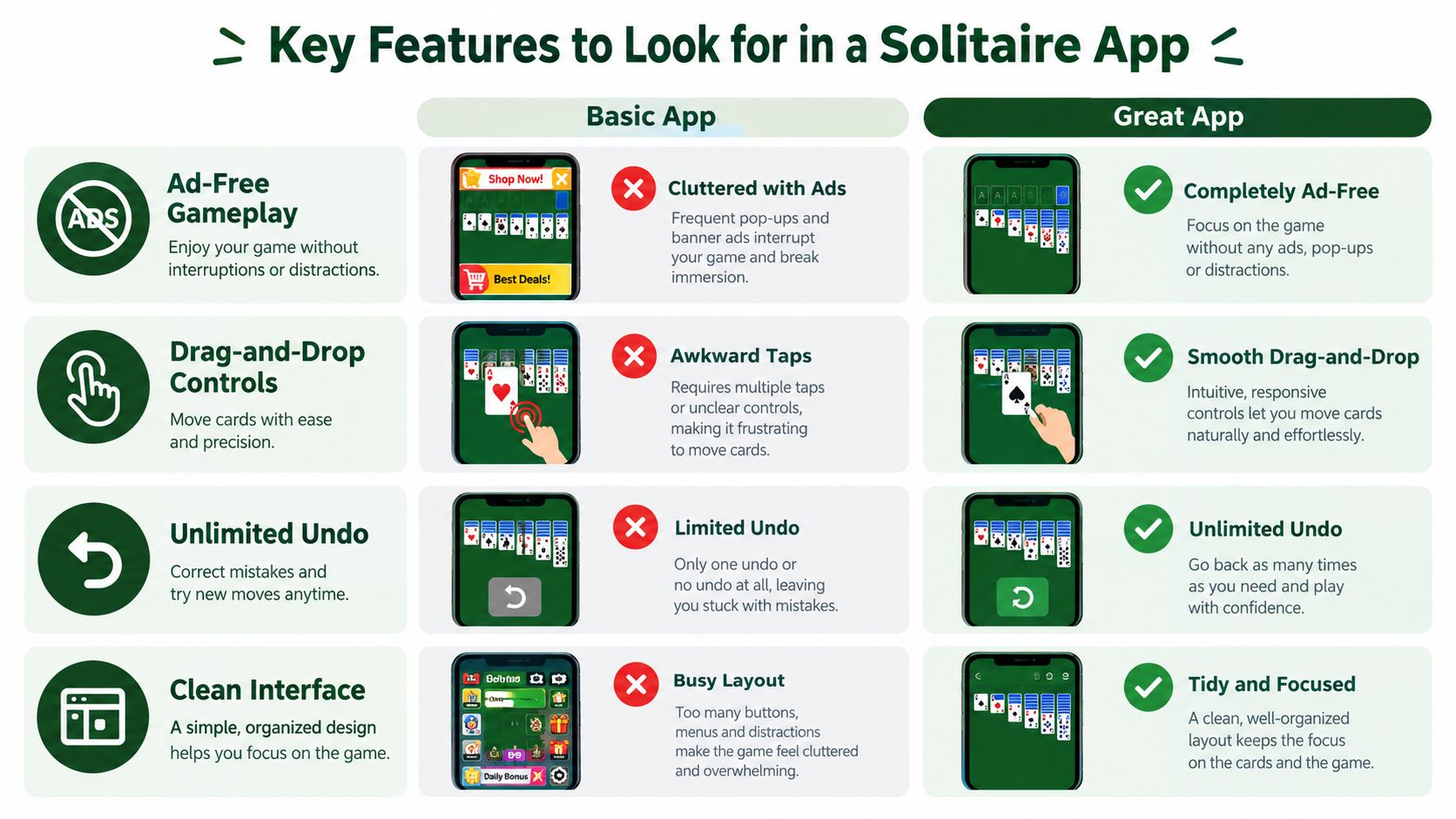
Start with the playing surface. Drag-and-drop controls should let you move a card or sequence accurately on a small screen. Tapping should also work when dragging is awkward. Cards need enough spacing for your finger, and the app should make selected cards visually clear.
Features that support learning
Unlimited undo is more than a convenience. It lets you test a move, observe its consequences, and return without abandoning the deal. A hint system can show a legal option when you're stuck, but you should treat the hint as a prompt to think, not as an automatic solution.
A clean interface matters for the same reason. If the stock, waste, tableau, and foundations are easy to identify, you can spend your attention on planning rather than searching for controls.
Practical rule: Use undo to study decisions, not to remove every consequence. Try to understand why a move failed before reversing it.
Features that support continued play
Daily challenges create a reason to return, while statistics help you see patterns in your own play. Useful tracking may include wins, losses, streaks, move counts, or time, provided the app explains what it records and doesn't make the information feel compulsory.
Ad-free play protects concentration. A free app supported by ads may be suitable for occasional games, but repeated interruptions can make it harder to remember the current plan. An ad-free option, such as this ad-free Solitaire app resource, is more suitable if you use Klondike for relaxation or focused practice.
Accessibility deserves equal attention
Older players and people with cognitive impairment may need more than a large-card theme. A peer-reviewed study found that adding accessibility settings to mainstream touchscreen apps significantly reduced usability problems in Solitaire and improved initiation of gameplay for older adults and people with cognitive impairment. The findings are available in this study of touchscreen Solitaire accessibility.
Look for adjustable card size, strong contrast, simple menus, clear feedback, and reduced interaction complexity. “Easy to play” and “easy to learn independently” aren't always the same thing.
How to Start Playing in Your Browser
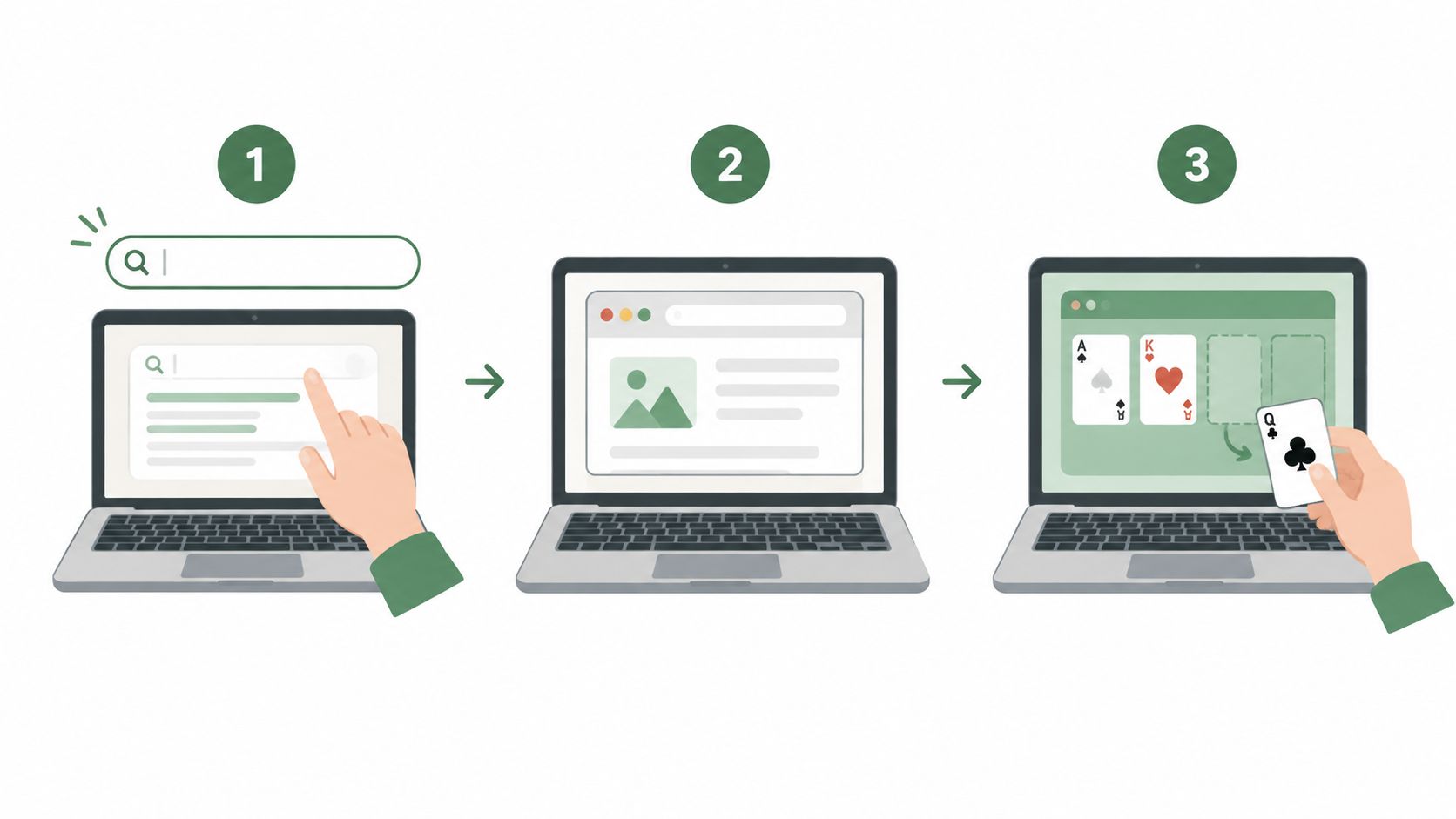
Browser play is the simplest route if you want a Klondike game without installing software. Open a browser on your phone, tablet, or computer, search for a browser-based Klondike game, and select a page that displays the game immediately.
Your first game
Once the board loads, identify five areas:
- Tableau: The seven columns where you arrange descending, alternating-color sequences.
- Stock: The face-down cards waiting to be drawn.
- Waste: The currently available cards from the stock.
- Foundations: The four suit piles you build from Ace upward.
- Controls: Undo, hints, settings, and any new-game button.
Start by scanning the face-up tableau cards. If an Ace is available, move it to a foundation. Then look for a move that reveals a face-down card or creates a useful descending sequence. Don't draw immediately just because the stock is available. First check whether the tableau contains a productive move.
On a phone, screen orientation set to wide may give the seven columns more horizontal room. If the game offers auto-complete, enable it only after you understand what the remaining cards are doing. Auto-complete is convenient at the end of a won deal, but it can hide useful learning opportunities during practice.
Why browser access can be useful
A browser-based Klondike app avoids an app-store search and usually lets you begin without an account. That makes it useful for a quick game on a shared computer or for players who don't want another installation taking space on a phone.
If you later want progress to follow you between devices, check whether synchronization is optional, what account it uses, and which statistics it saves. Instant access and persistent progress solve different problems, so a good service should explain both clearly.
Strategy Tips for Better Win Rates
A strong Klondike turn preserves choices for later. Before moving a card, check three things: what the move reveals, which space it occupies, and whether it blocks a card you may need. This simple pause works like checking the next step before taking a staircase.
Start with moves that expose face-down tableau cards. Hidden information usually offers more value than rearranging cards already visible. Still, do not send every available card to a foundation at once. A low card may be more useful in the tableau if it builds a sequence or helps uncover another card.
Think in terms of options
Suppose a black 7 can go on either of two red 8s. Both moves follow the rules, yet one may preserve a longer sequence, leave a column open, or make a face-down card easier to reach. Choose the placement that gives the next move more room.
Keep empty tableau columns for a King that can use them well. Moving a King into an open column may expose a valuable sequence. Opening a column without a suitable King, however, can leave space that contributes little.
A strong move does two jobs: it improves the current layout and keeps a useful reply available.
A mobile app can make this reasoning easier to practice. Use undo to compare two legal placements, and use hints to identify available moves without accepting them automatically. If the app records win rate, moves, or completion time, review those details after several games. Progress tracking is most useful when it shows whether your decisions are improving, rather than just displaying a score.
Draw with a plan
In Draw 1, stock cards are generally more accessible. In Draw 3, the order of the cards matters more, so decide whether to use a visible card now or preserve access to the cards beneath it.
The challenge changes with the draw rule and the information available. A source summarizing Klondike odds reports about 18% in Draw 3 and 52% in Draw 1 for a strong algorithm. It also estimates 81.945% ± 0.084% for a thoughtful variant with perfect play and full information. These results come from different conditions, so they are not a promise for an individual player or a direct comparison of normal results. They do show why draw rules affect decision-making, as explained in this overview of Klondike win probabilities and this Klondike strategy guide.
If a deal becomes impossible, restart once every remaining line repeats the same blocked moves. Continue while unexplored tableau options remain. Undo can reveal where the deal became restricted, helping you make a better next decision.
Why Play Solitaire Gaming Stands Out
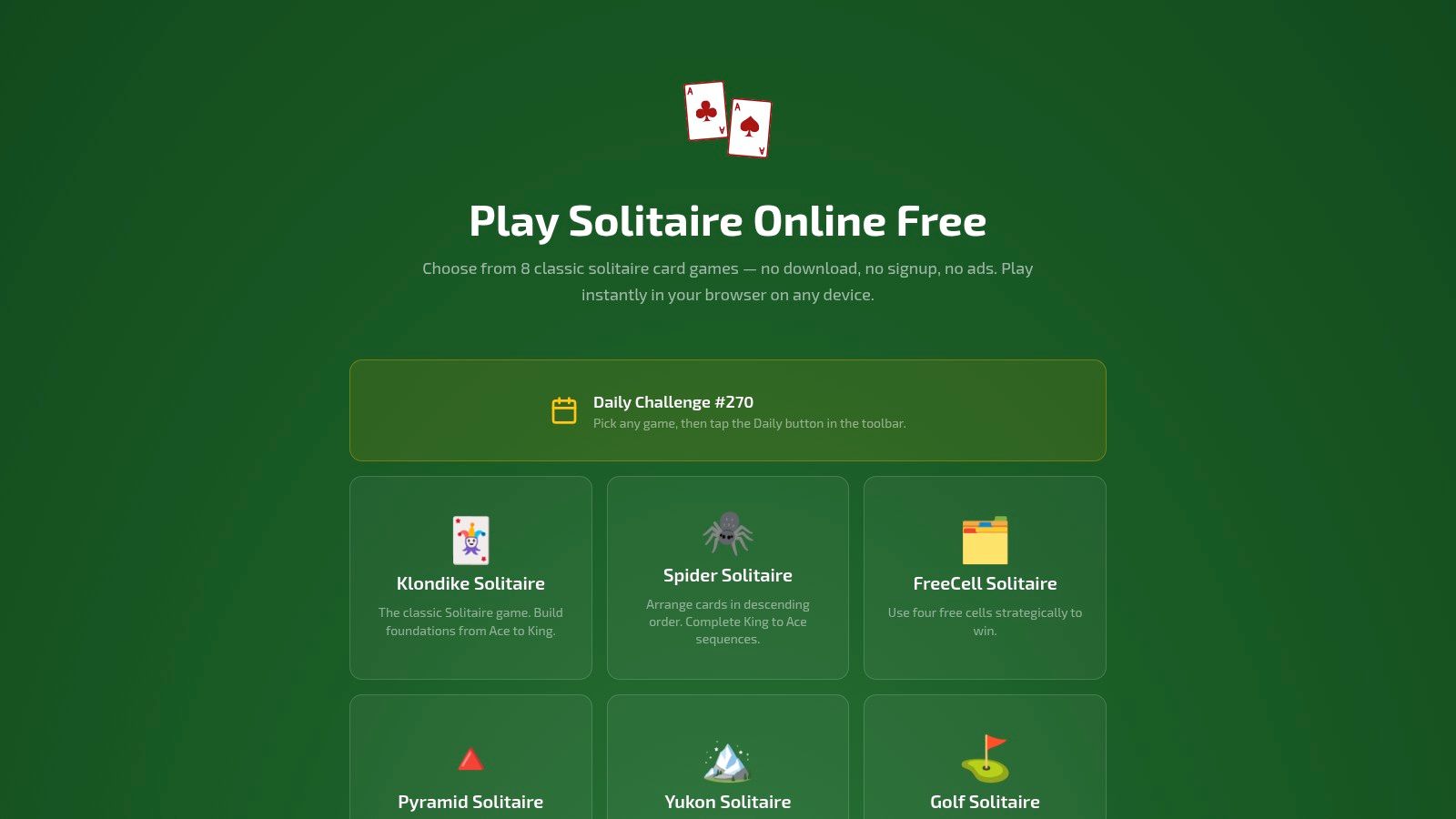
A practical recommendation should match the criteria above rather than rely on a long feature list. Play Solitaire Gaming provides browser-based access to Klondike with drag-and-drop controls, smart hints, unlimited undo and redo, daily challenges, and global leaderboards. It doesn't require a download or signup to begin, while optional Google or Apple sign-in enables private cloud synchronization for stats and progress.
That combination suits different playing habits. Someone learning the rules can use hints and undo. Someone playing on several devices can choose optional sync. Someone who wants a short daily goal can use the Daily button, while a privacy-conscious player can start without creating an account.
The service also includes eight variants: Klondike, Spider, FreeCell, Pyramid, Yukon, Golf, TriPeaks, and Forty Thieves. This matters after the basic rules become familiar. You can stay with the traditional foundation-building structure or move to a game that emphasizes open information, long sequences, or faster decisions.
The wider market is also becoming more feature-oriented. A market projection estimates that mobile card games will reach USD 31.10 billion in 2026 and USD 55.42 billion by 2032, which reinforces why trust, continuity, accessibility, and meaningful progression deserve attention alongside the basic game board. See the mobile card games market projection for the stated forecast.
The important distinction is that these features should remain optional. You can play a quiet round without signing in, then enable synchronization later if you want win rates, streaks, and detailed stats to follow you from phone to tablet to desktop. That keeps the first game simple without closing off longer-term progress tracking.
Frequently Asked Questions
Can a Klondike app work offline? Some installed apps can, but browser games may require a connection. Check the product description before relying on offline play.
Can progress move between devices? It can if the app offers cloud sync. Look for an optional account system and confirm which stats it preserves.
How does scoring work? One common system awards +10 for moving a card to a foundation, +5 for revealing a face-down tableau card, and +5 for moving from waste to tableau, while moving a card from foundation back to tableau costs -15, according to these Klondike scoring rules.
Is Draw 3 harder than Draw 1? Usually, because cards appear in groups and their order limits your choices. Accessibility settings, larger cards, and simpler controls can make play more comfortable for older players and people with cognitive impairment. Choose a free ad-supported app for occasional play, or an ad-free option if uninterrupted sessions matter more.
Play Solitaire Gaming offers instant browser-based Klondike, smooth touch controls, hints, unlimited undo and redo, daily challenges, and optional cloud-synced progress. Visit Play Solitaire Gaming to start a no-download game and explore its other solitaire variants.
Ready to play?