7 Card Games Like Solitaire for Every Skill Level
By Rajat Agarwal, Founder of Play Solitaire Gaming
Explore 7 card games like solitaire, from classic variants to browser and mobile picks, with rules, difficulty, strategy tips, and play options.
What do you want from a solo card game, a familiar layout, a tougher puzzle, a quick browser session, daily goals, or a large library of variants? Players searching for card games like solitaire often assume the answer must be another version of Klondike, but the better choice depends on how you like to play. Some games reward careful planning, others create a relaxed rhythm, and a few turn every deal into a speed or leaderboard challenge.
This roundup compares seven options by rules, difficulty, strategic feel, enjoyment, platform access, and practical features. You'll find broad collections, polished mobile play, obscure rulesets, lightweight browser games, and competitive daily formats. Play Solitaire Gaming is the central browser option because it combines eight named variants, ad-free access, hints, undo and redo, daily challenges, leaderboards, and optional cross-device sync.
Table of Contents
- 1. Play Solitaire Gaming
- 2. Microsoft Solitaire Collection
- 3. Solitaired
- 4. 247 Solitaire by 247 Games
- 5. World of Solitaire
- 6. Green Felt
- 7. Solitaire by MobilityWare
- Top 7 Solitaire Platforms Comparison
- Choose by the Kind of Solitaire You Want
1. Play Solitaire Gaming
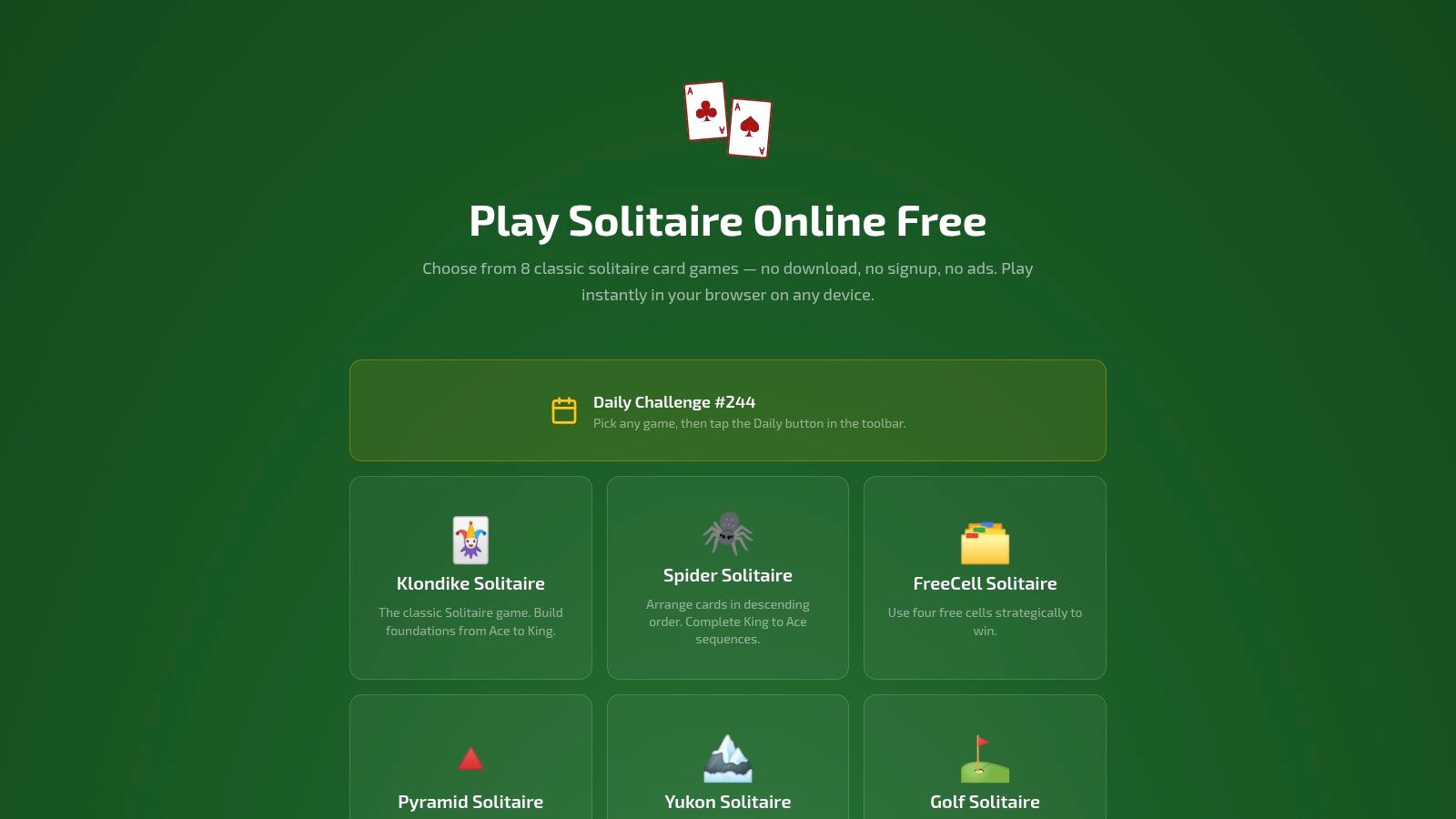
Play Solitaire Gaming is the strongest all-purpose choice if you want to move between different solitaire experiences without downloading an app. It offers Klondike, Spider, FreeCell, Pyramid, Yukon, Golf, TriPeaks, and Forty Thieves, all playable directly in a browser on a phone, tablet, or desktop. You don't need a download, signup, or account to start, and the ad-free interface keeps the focus on the cards.
The range matters because each variant changes the type of attention the game demands. Klondike feels familiar and approachable. FreeCell makes every card visible, so planning and sequencing matter more. Spider asks you to build same-suit runs, while Pyramid and Golf create faster decisions around removal and access. Yukon and Forty Thieves are better suited to players who want more demanding layouts, while TriPeaks offers a brisk, satisfying rhythm.
Rules, difficulty, and tactics
A beginner can start with Klondike, use smart hints, and undo a move to understand why a decision worked or failed. More experienced players can test themselves in Spider, FreeCell, or Forty Thieves, where careless early moves can restrict the rest of the deal. Unlimited undo and redo support experimentation without making practice feel punishing.
Practical rule: Use hints to identify possible moves, then pause before accepting one. The best move often creates access to a blocked card rather than producing an immediate foundation transfer.
Daily rotating challenges, global leaderboards, streaks, and detailed stats give repeat players a reason to return. Optional Google or Apple sign-in enables private cloud sync, allowing win rates, streaks, and progress to follow you across devices. The site also provides how-to-play guides and a blog, so new players can learn rules before choosing a more complex variant.
The main trade-off is that Play Solitaire Gaming is browser-based, so you need an internet connection. It doesn't offer a native offline app, and privacy-conscious players may prefer to skip optional sign-in. For casual players, learners, seniors, and competitive users who want a distraction-free session, the combination of immediate access and varied rules is unusually practical.
2. Microsoft Solitaire Collection
Microsoft Solitaire Collection suits players who want familiar games, a consistent interface, and regular goals across multiple devices. The collection includes Klondike, Spider, FreeCell, Pyramid, and TriPeaks, making it easy to move from traditional tableau play to faster removal-based formats without learning an entirely different platform.
The rules feel familiar, but the strategic experience changes by mode. Klondike rewards patience with face-down cards and stock management. Spider demands longer-term planning because you're trying to assemble same-suit sequences. FreeCell is more transparent, with all cards visible, but that visibility shifts the challenge toward finding safe sequences and protecting empty spaces.
Daily goals and platform access
Daily challenges and time-limited events add structure for players who enjoy returning to a calendar of tasks. XP, Xbox achievements, and cloud profile features also make the collection a natural fit for people already using Microsoft and Xbox services. It's available on Windows, iOS, Android, and Xbox, so platform flexibility is a major advantage.
The free tier includes ads, while optional Premium access removes ads and adds bonuses. That creates a straightforward choice, but some users report problems with account recognition or entitlement access, so players should check how the Premium benefits attach to their account before relying on them.
Choose this collection if daily progression and platform continuity matter more to you than a completely ad-free browser session.
The interface is polished enough for beginners, and the five-game lineup provides useful variety without overwhelming someone who wants the classic Microsoft solitaire experience. For a wider comparison of browser and app-based alternatives, see this guide to games like solitaire.
3. Solitaired
Solitaired is built for players who don't want to stop at the usual classics. Its web destination and companion mobile app offer more than 500 solitaire and patience variants, ranging from recognizable formats to rulesets that require a fresh approach. That makes it the best fit for curious players who treat solitaire as a large family of games rather than a single title.
The difficulty varies widely. A familiar Klondike deal offers a comfortable starting point, while less familiar patience games may require reading the rules before the first meaningful move. That variety is valuable, but it also means the experience rewards experimentation more than immediate mastery.
A library for long-term learning
Solitaired adds a Game of the Day, daily challenges, event tracking, achievements, medals, streaks, and global leaderboards. Detailed per-game analytics can record moves, time, and score, helping goal-oriented players compare improvement within a particular variant instead of treating every game as interchangeable.
A useful approach is to choose one new ruleset at a time. Read the instructions, play without chasing a score, and identify the main restriction. Does the game limit tableau movement, depend on stock order, or reward clearing cards quickly? Once you know that central tension, tactical decisions become easier to evaluate.
The web version is ad-supported, and the strongest challenge and achievement experience is concentrated in the mobile app. Players who want a quiet browser game may find that distracting, while collectors and statistics-focused users may consider the depth a fair trade.
For a clearer overview of how solitaire families differ, this guide to types of solitaire games is a useful companion.
4. 247 Solitaire by 247 Games
247 Solitaire is designed for one purpose, getting a game started quickly. It's a lightweight web hub with multiple formats, including Klondike with one-card or three-card draws, Spider, and FreeCell, along with seasonal visuals and themed collections. You can open it on a desktop or mobile browser and begin without creating an account.
That simplicity makes it a good match for short breaks. Klondike with a one-card draw is more forgiving because the next available card is easier to assess. Three-card draws create a tighter stock puzzle, since a useful card may remain inaccessible until the surrounding cards are handled. Spider and FreeCell provide more complexity when you want something beyond the familiar layout.
Best for quick browser sessions
The site stores basic stats and stars locally through browser cookies, so it gives you a small sense of continuity without requiring a login. It doesn't try to compete with app-centered platforms on detailed analytics, achievements, or elaborate challenge systems. That limitation is also part of its appeal.
Short-session tactic: Start with the format you already know, then switch variants only when you have enough time to learn its central rule. A quick game is more enjoyable when you're not spending the whole session decoding the interface.
The ad-supported experience may interrupt the otherwise frictionless flow. Competitive players may also find the local stats too limited, especially if they want global rankings or persistent progress across devices. Still, for a player who wants a basic solitaire deal immediately, 247 Solitaire avoids unnecessary setup.
5. World of Solitaire
World of Solitaire appeals to players who want breadth without a busy app ecosystem. It provides more than 100 solitaire variants in a clean, classic browser presentation, including familiar games and obscure rulesets. You can explore different forms of patience without installing software or committing to a particular mobile platform.
The strategic experience depends on the chosen game. Classic builder formats ask you to organize cards into descending or ascending sequences. More unusual variants may change how cards can be moved, removed, or exposed. That makes World of Solitaire a good place to develop rule awareness, because you can't rely on the same opening habits in every game.
Obscure rulesets without installation
Saved preferences and quick animations keep the experience practical, while the minimalist interface leaves most of the screen available for the layout. Players who dislike clutter will appreciate that focus. Beginners may need more guidance, however, because the site is less tutorial-driven than platforms built around daily progression.
The best tactic is to treat unfamiliar variants as short learning exercises. Read the rules, identify the win condition, and make a few moves specifically to test what the game permits. Don't judge a new format by your first failed deal. The early challenge is often understanding what counts as a productive move.
World of Solitaire is web-only, and it doesn't provide the deep statistics, achievement structures, or event ecosystems found in some mobile apps. If your priority is discovering unusual solitaire formats in a straightforward browser, that trade-off is reasonable. Players who want additional free browser options can also compare the best free online solitaire choices.
6. Green Felt
Green Felt is for players who care more about speed, rules, and repeatable competition than presentation. This old-school web collection offers multiple solitaire and puzzle games, daily and seeded deals, public leaderboards, and no-signup play. Its lightweight design works especially well when you're using an older device or a weak connection.
The strategic appeal comes from repeatability. Seeded deals let players work from the same underlying challenge, while leaderboards encourage careful optimization. Instead of playing only for a win, you may start comparing how efficiently you clear cards, how quickly you finish, or whether a different opening sequence produces a better result.
Competitive speed play
Green Felt's interface is deliberately spare. That means cards appear quickly and the site doesn't surround the game with extensive onboarding, tutorials, or progression systems. Experienced players can get straight to the layout, but beginners may need to learn the rules elsewhere or rely on trial and error.
Speed-play advice: Don't rush the first move. Establish a safe sequence, preserve useful spaces, and accelerate only after you know which cards your opening has made available.
The collection's rule accuracy and classic references appeal to enthusiasts who want the game mechanics to take priority. The downside is equally clear. The interface feels less polished than commercial apps, and new players won't find the same guided learning path offered by more modern platforms.
Choose Green Felt when you want a fast, privacy-light browser experience and a public measure of performance. It's less suitable if you want decorative customization, detailed personal coaching, or a carefully staged introduction to solitaire strategy.
7. Solitaire by MobilityWare
Solitaire by MobilityWare is a mobile-first choice for players who want polished Klondike with touch controls, daily goals, and tools that help explain difficult positions. It's available on iOS and Android, and its interface is designed around tapping and dragging cards on a phone rather than adapting a desktop web layout.
The core rules are familiar. In standard Klondike, you build descending tableau sequences with alternating colors, expose face-down cards, and send cards to suit foundations in ascending order. The strategy comes from deciding when to move a card for immediate progress and when to preserve it because it may reveal a more valuable tableau sequence later.
Coaching and customization
A Daily Challenge calendar uses crowns, trophies, and themed months to create a steady routine. Winning Deals gives players winnable layouts to practice, while the Show Me How to Win solver can demonstrate a route through a difficult position. These tools make the app approachable for learners, although players who want to improve independently may prefer to use the solver only after analyzing the deal themselves.
Stats, leaderboards, card backs, and backgrounds provide more personalization than a bare browser game. Several ad-free paths are available, including an in-app Remove Ads option, a Premium subscription, or MobilityWare+ through Apple Arcade. The free tier remains ad-supported, and some players want clearer cloud-sync behavior across devices.
Use the solver as a teacher, not an automatic substitute for decision-making. Try to explain why each demonstrated move improves your access to the tableau.
MobilityWare is the right choice when your priority is a polished mobile Klondike routine. It's less compelling if you want eight different variants in one place or instant browser play without an app installation.
Top 7 Solitaire Platforms Comparison
| Product | Platforms & Access ⚡ | Setup Complexity 🔄 | Resource Requirements ⚡ | Expected Outcomes & Key Advantages ⭐📊 | Ideal Use Cases 💡 |
|---|---|---|---|---|---|
| Play Solitaire Gaming | Browser (desktop & mobile); no download; optional Google/Apple sign-in | Very low, play instantly; optional sign-in for cloud | Internet required; lightweight; mobile-friendly | Polished, ad-free play with 8 variants, daily challenges, leaderboards and cloud sync ⭐⭐📊 | Quick casual sessions, learning, practice, competitive streaks |
| Microsoft Solitaire Collection | Windows, iOS, Android, Xbox; Xbox Live integration; optional Premium | Low, app install on platforms; account for achievements | App installs; internet for cloud/achievements; Premium removes ads | Consistent cross‑platform UI, daily events, Xbox achievements; optional ad-free premium ⭐⭐📊 | Windows/Xbox users, players who value achievements and platform parity |
| Solitaired | Web + companion mobile apps; 500+ variants | Low–moderate, optional account for tracking | Internet required; web is ad-supported; mobile app has full features | Huge variant library, deep stats, achievements and leaderboards, best for variety seekers ⭐⭐⭐📊 | Players wanting extreme variety, detailed analytics and competitive goals |
| 247 Solitaire (247 Games) | Web only; immediate play with seasonal themes | Very low, no login or install required | Internet required; very lightweight; ad-supported | Fast-loading, frictionless play for short sessions; basic local stats ⚡📊 | Short breaks, quick games on any device without friction |
| World of Solitaire | Web only; 100+ classic and niche variants | Low, browser play with saved preferences | Internet required; minimal resources; broad browser support | Broad catalog with clean, classic UI; reliable in-browser experience ⭐📊 | Players seeking specific/obscure variants without installs |
| Green Felt | Web only; no-signup play and public leaderboards | Very low, instant play, privacy-light | Internet required; extremely lightweight | Fast performance, rigorous rule fidelity and public leaderboards ⭐📊 | Users valuing speed, rule accuracy and leaderboard competition without accounts |
| Solitaire by MobilityWare | iOS & Android; Apple Arcade option; mobile-first | Low, mobile install; in-app purchases/subscriptions optional | Mobile device recommended; internet for cloud/features; free tier ad-supported | Polished touch controls, solver ("Show Me How to Win"), customization and multiple ad-free paths ⭐⭐📊 | Mobile-first players who want solver aids, customization and ad-free options |
Choose by the Kind of Solitaire You Want
The best option depends on the experience you want after the deal appears. If you want ad-free browser access and eight named variants, choose Play Solitaire Gaming. It combines Klondike, Spider, FreeCell, Pyramid, Yukon, Golf, TriPeaks, and Forty Thieves with hints, unlimited undo and redo, daily challenges, leaderboards, and optional cloud sync.
Choose Microsoft Solitaire Collection if you want a platform-spanning routine with daily challenges, events, XP, and Xbox integration. It's a strong fit for players who already use Windows, Xbox, iOS, or Android and prefer a consistent Microsoft interface, although the free tier includes ads.
Solitaired is the better match for extreme variety, detailed analytics, achievements, and a large selection of patience games. World of Solitaire also suits breadth seekers, especially those who want classic and obscure rulesets in a minimalist browser environment. Both are more appropriate for exploration than for a tightly guided beginner journey.
For a quick, low-friction session, 247 Solitaire is easy to recommend. Its lightweight pages and no-login access make it useful during a short break, while its lighter statistics and ad-supported experience may disappoint competitive players. Green Felt is the sharper choice for seeded deals, speed optimization, public leaderboards, and fast loading, but its spare presentation assumes that you already understand the rules.
MobilityWare is the mobile Klondike specialist. Choose it for polished touch controls, daily calendars, Winning Deals, customization, and solver assistance. Its advertising and app-based access are the main trade-offs.
Before settling on a regular game, compare rule complexity, difficulty, ads, statistics, challenges, sign-in requirements, and device preference. A beginner may need clear hints and forgiving undo controls, while an experienced player may care more about seeded competition or unusual rulesets. Solitaire remains unusually approachable because the basic card language is familiar, yet these platforms show how much the experience changes once you alter the variant library, interface, goals, and pace.
Solitaire's broad reach helps explain why these choices matter. A 2023 YouGov survey found that 83% of Americans had played solitaire before, and 89% said they liked or loved it, placing it ahead of other card games in that survey, including Go Fish and Blackjack. The survey results support the idea that solitaire is a gateway experience, but the right next game depends on whether you want familiarity, discovery, competition, or relaxation.
Play Solitaire Gaming gives you eight polished solitaire variants in an ad-free browser, with smart hints, unlimited undo and redo, daily challenges, leaderboards, and optional cross-device sync. Visit Play Solitaire Gaming to try a quick game, learn a new ruleset, and find the card experience that fits your next session.
Ready to play?