7 Card Game to Play Alone: Best Solo Picks
By Rajat Agarwal, Founder of Play Solitaire Gaming
Find the best card game to play alone, from classic solitaire to solo challenges, with rules, play times, tips, and ad-free online options.
What makes the best card game to play alone? It isn't the game with the most features or the biggest app library. Solo card games create different experiences: some reward calm repetition, some demand careful planning, and others turn a short break into a daily challenge. The right choice depends on your goal, preferred difficulty, session length, device, and tolerance for ads or account requirements.
The seven destinations below compare those practical differences directly. Each recommendation explains the core rules, who should use it, how long a typical session may feel, and what habit makes it more enjoyable. If you want an immediate starting point, Play Solitaire Gaming opens in a browser with no download or signup, though another option may suit you better if you want offline access, a native mobile app, or a larger catalog.
Table of Contents
- 1. Play Solitaire Gaming
- 2. Microsoft Solitaire Collection
- 3. Solitaired
- 4. Green Felt
- 5. World of Solitaire
- 6. Arkadium Daily Solitaire and More
- 7. MobilityWare Solitaire
- Top 7 Solo Solitaire Platforms Comparison
- Choose the Right Solo Card Game Today
1. Play Solitaire Gaming
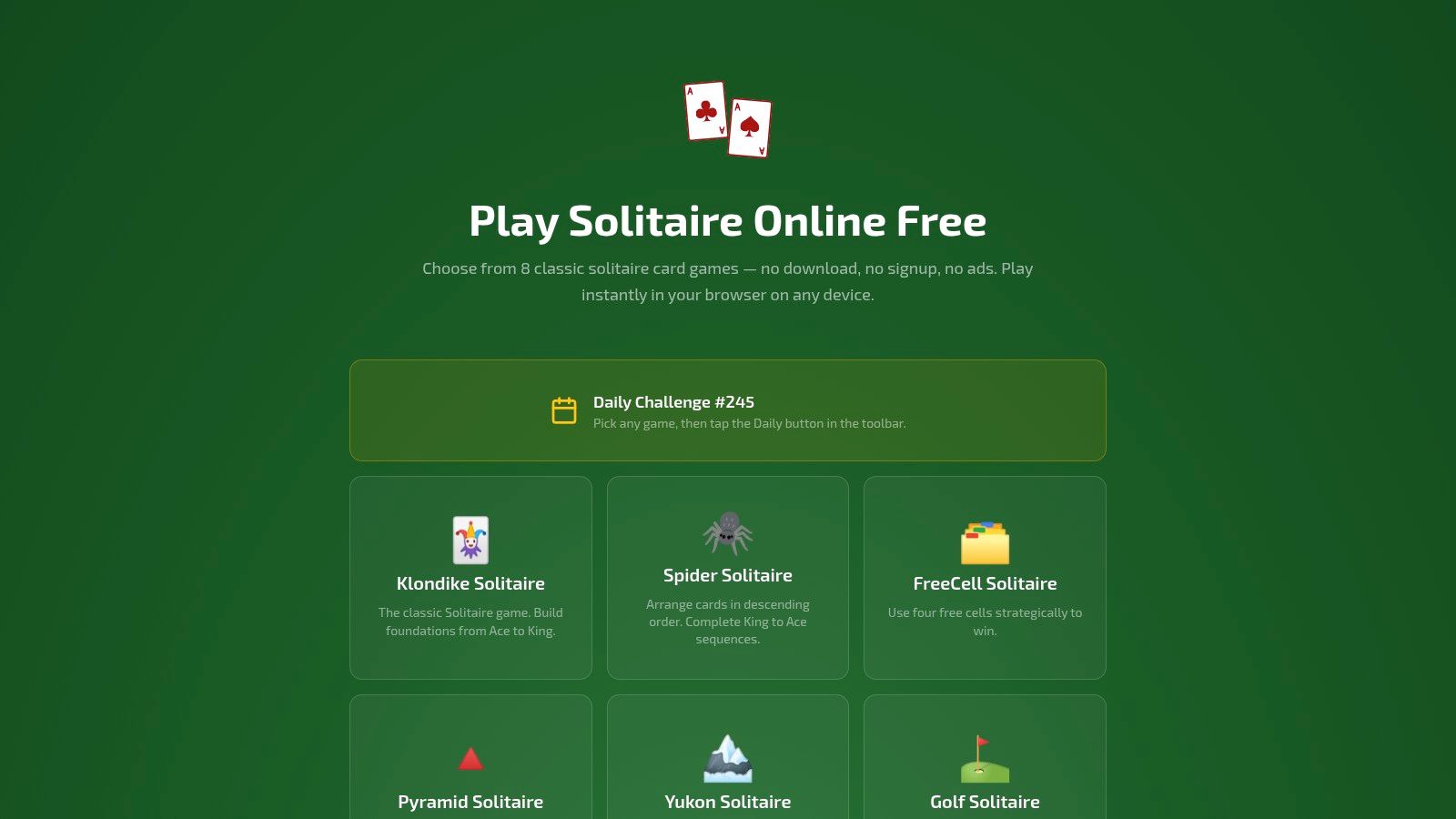
Play Solitaire Gaming is the strongest starting point for players who want free, ad-free solitaire in a browser without sacrificing useful features. You can open it on a phone, tablet, or desktop and choose from eight games: Klondike, Spider, FreeCell, Pyramid, Yukon, Golf, TriPeaks, and Forty Thieves. There's no download, mandatory account, paywall, or advertising interruption.
The interface keeps the basics easy. Smooth drag-and-drop controls help new players, while smart hints and unlimited undo and redo give experienced players room to test a plan without throwing away an entire deal. The site also provides how-to-play guides and a blog, which makes it a practical choice for learners and seniors who want rules explained before they start.
Best for flexible sessions
Choose Klondike or Golf for a quick, relaxed round. Move to FreeCell when you want more deliberate planning, or try Spider and Forty Thieves when you want a tougher puzzle. A casual game can fit into a short break, while a difficult deal may invite a longer session as you work through its consequences.
The rotating Daily Challenge adds structure without forcing you into a campaign. Global leaderboards and streak tracking give competitive players a reason to return, while optional Google or Apple sign-in enables private cloud sync for win rates, streaks, and detailed stats across devices.
Practical rule: Start with hints enabled, then use undo to understand why a move failed. Turn those aids into training tools rather than treating every round as a test.
Pros
- Instant access: Play on a browser without downloads or mandatory signup.
- Useful variety: Eight polished solo games cover relaxation, planning, and harder challenges.
- Competitive options: Daily Challenges, global leaderboards, and streak tracking support repeat play.
- Beginner support: Guides, hints, and unlimited undo reduce the learning curve.
Cons
- No offline mode: You need a browser and an internet connection.
- Sync requires sign-in: Cloud progress needs optional Google or Apple authentication.
- No formal endorsements: The site lists no third-party certifications or awards.
Historically, solitaire has proved remarkably adaptable. Its documented roots reach back to late-18th-century Northern Europe, with an early written reference in a 1783 German game anthology and later expansion through France, Britain, and America, as described in this history of Solitaire. Play Solitaire Gaming fits that tradition by keeping the format familiar while making the modern experience simple and cross-device.
2. Microsoft Solitaire Collection
Microsoft Solitaire Collection is the best choice for players who want progression, achievements, events, and Windows integration rather than a purely quiet card table. The suite combines Klondike, Spider, FreeCell, Pyramid, and TriPeaks with daily challenges, events, XP, cloud statistics, and cross-device play. It's built into Windows 10 and Windows 11, and it's also available through the Microsoft Store and on iOS and Android via the official Microsoft Solitaire Collection page.
Klondike remains the easiest entry point. The deal uses seven tableau piles, arranged from left to right with each pile receiving one more card than the previous pile. You build the four foundations upward by suit from Ace to King, while tableau cards descend in alternating colors. An empty tableau space can receive only a King or a sequence beginning with a King. The Klondike rules guide is useful if you want to refresh those mechanics before playing.
Best for structured repeat play
A normal round suits a short break, but daily challenges and events can stretch the experience into a longer routine. XP, achievements, and cloud stats make progress visible, which is motivating if you like goals beyond winning a deal.
The trade-off is atmosphere. The free tier is ad-supported, and the event system can feel busy beside a minimalist browser game. Premium removes ads, grants access to past challenges, and adds features such as a solver, so this is the better pick when you value a developed ecosystem more than a completely distraction-free session.
Choose Microsoft Solitaire Collection if progress screens motivate you. Skip it if advertisements and event prompts interrupt the calm you want from solitaire.
3. Solitaired
Solitaired is the clear recommendation for variety seekers. Its central advantage is breadth, with more than 500 solitaire and card variants, alongside daily challenges, achievements, leaderboards, customization, and statistics. You can use it on the web or through its apps, making it suitable for players who enjoy discovering unfamiliar rules instead of replaying the same classic deal.
That variety changes the question from “Which solitaire should I play?” to “What kind of puzzle do I want today?” Start with Klondike if you want a familiar foundation, then move to Spider for sequencing, Pyramid for pairing, or one of the less familiar variants when you want a new rule set. The guide to games like solitaire can help you find a related style when standard solitaire starts to feel repetitive.
Best for long-term discovery
A new variant may take longer than a familiar game because you're learning its objective and legal moves. Once the rules click, sessions can become short and repeatable, especially when a daily event gives you a fixed target. Achievements, leaderboards, and in-game coins add a layer of progression for players who enjoy collecting goals and cosmetic rewards.
Accessibility is another practical strength. Keyboard navigation and readable fonts make the platform more usable for people who don't want to rely entirely on drag-and-drop controls.
Pros
- Huge catalog: You won't run out of variants quickly.
- Accessible controls: Keyboard navigation and readable presentation support different play styles.
- Active features: Daily events, achievements, leaderboards, and customization encourage exploration.
Cons
- Too much choice: The catalog can overwhelm anyone who wants one dependable classic.
- Meta elements: Coins and leaderboards may feel unnecessary to minimalist players.
Pick Solitaired when your priority is variety and discovery, not the quietest possible interface.
4. Green Felt
Green Felt is built for players who want fast, no-frills browser solitaire. You don't need an account to start, and the interface gets out of the way quickly. The site includes classic families such as Klondike, Spider, FreeCell, and Forty Thieves, with undo and redo controls for correcting experiments or reviewing a failed sequence.
Its most distinctive feature is the shared-deal approach. Daily deals and leaderboards let players work from common seeds, so competition focuses on decision-making rather than receiving an entirely different layout. Forums and an active community add a social layer without turning the game into a conventional multiplayer experience.
Best for speed and comparison
Green Felt works well for a quick session between tasks. Choose a familiar game, play a shared deal, and compare your result with other players. If you prefer learning through repetition, the consistent interface makes it easy to focus on card placement rather than menus or progression systems.
The visual design is deliberately minimal. That's a benefit on a small screen or an older device, but cards may look small on high-DPI displays. You'll also find fewer modern reward systems than in app-focused alternatives, so players who want levels, themes, or extensive achievement tracks may find it plain.
Pros
- Rapid start: Open the browser and begin without logging in.
- Shared competition: Daily seeds make leaderboard comparisons more meaningful.
- Efficient controls: Undo and redo support fast experimentation.
- Community support: Forums provide a place to discuss tactics.
Cons
- Basic visuals: The presentation favors function over polish.
- Limited progression: It doesn't emphasize levels, cosmetics, or elaborate events.
Choose Green Felt when your priority is speed, simplicity, and shared daily deals.
5. World of Solitaire
World of Solitaire suits players who want a large browser catalog with practical accessibility controls. It offers more than 100 solitaire variants through modern HTML5, works on tablets, and doesn't require downloads or accounts. The presentation is functional rather than flashy, which makes it easy to concentrate on the cards.
Auto-save is valuable if your sessions are interrupted. Per-game statistics let you evaluate how you're doing within a particular variant, while adjustable card sizes help players who need larger visual targets or prefer more readable layouts.
Best for readable, low-pressure play
Use World of Solitaire when you want to sample several variants without installing separate apps. A familiar Klondike round can stay short, while a less familiar game may take longer as you learn its pattern. Auto-save makes it especially suitable for a relaxed session that may pause when work, travel, or household tasks interrupt you.
The site's durability is part of its appeal. It offers a broad catalog without demanding an account, and its long-running browser format keeps the barrier to entry low. The downside is that the experience feels more like a dependable utility than a heavily updated entertainment platform. Public updates may arrive gradually, and players looking for flashy themes or constant events should choose a different destination.
Pros
- Broad selection: Explore many variants from one browser app.
- Readable layout: Adjustable card sizes improve visibility.
- Low commitment: No download or account is required.
- Useful continuity: Auto-save helps preserve interrupted games.
Cons
- Functional presentation: The interface isn't designed to impress with visual effects.
- Gradual evolution: Feature changes may feel less frequent than on active app platforms.
Pick World of Solitaire for breadth, readability, and quiet browser play, especially if you don't care about competitive rewards.
6. Arkadium Daily Solitaire and More
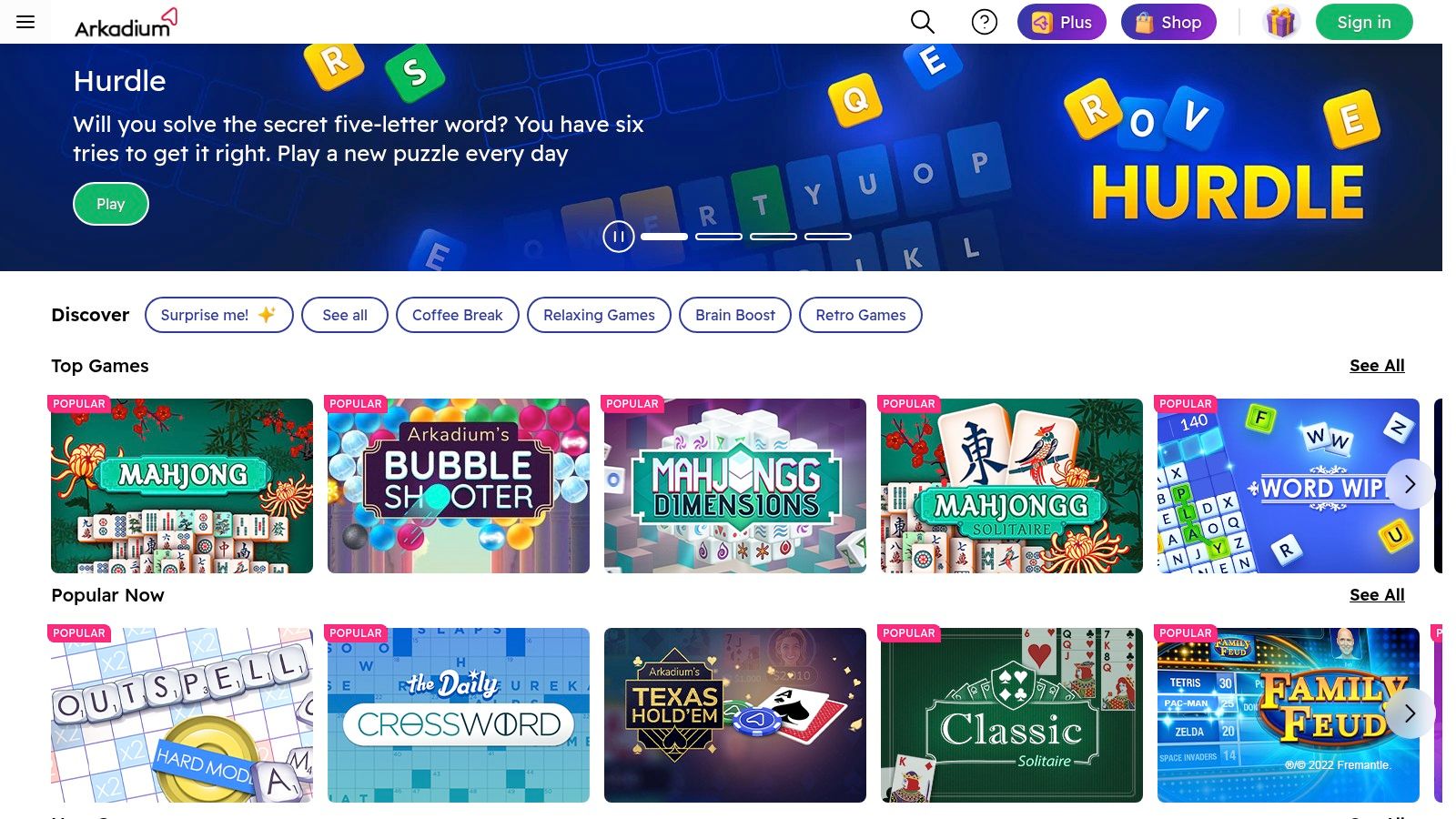
Arkadium is the best fit for players who want a mainstream daily challenge with a polished browser experience. Its game network hosts Daily Solitaire and other casual titles across Arkadium and partner sites, including YouTube Playables. Daily Solitaire focuses on fresh, solvable deals, while tutorials and support pages explain rules and scoring for players who need a quick refresher.
A daily format gives your session a clear beginning and end. You can open the challenge, work through the deal, and stop once you've finished, rather than browsing through a huge library. That makes Arkadium well suited to a routine built around a short daily break.
Best for a daily habit
The practical advantage is reliability. Arkadium's titles are designed for a broad casual audience, and the Daily Solitaire hub gives you a repeatable destination rather than requiring you to choose a variant every time. If you enjoy solving a designated deal, this structure is more useful than an open-ended catalog.
Experience can vary across partner portals, where interfaces and advertising may differ. Some daily deals can also feel noticeably harder than others, so don't treat an unsuccessful round as evidence that your strategy has failed. Review your moves, use the available tutorial material, and return to the next challenge without forcing a frustrating session.
Pros
- Clear routine: A new daily deal gives short sessions a defined purpose.
- Mainstream polish: Browser titles are approachable and familiar.
- Learning support: Tutorials and rules pages explain play and scoring.
- Wide distribution: You may encounter the games through several publisher portals.
Cons
- Inconsistent portal experience: Interface and ads can differ by distribution site.
- Uneven difficulty: Some daily deals may create sharper difficulty spikes.
Choose Arkadium when you want one polished daily challenge, not an extensive collection to browse.
7. MobilityWare Solitaire
MobilityWare Solitaire is the strongest option for polished mobile Klondike. The iOS and Android app focuses on the classic game with touch-friendly controls, daily goals and challenges, leveling, statistics, custom themes, card backs, and convenience features such as Quick Play. It's designed for smartphone sessions, so the controls feel more natural when you're playing with taps and swipes instead of a mouse.
A typical round fits a short mobile break, while daily goals and leveling can encourage longer repeat sessions. The focus stays on Klondike, which is an advantage if you know exactly what you want and a limitation if you're looking for Spider, FreeCell, or a broad collection inside the same app. For a wider mobile comparison, see this guide to the best free solitaire apps.
Best for touch controls and daily goals
MobilityWare's long-term app support and frequent updates make it a dependable choice for casual mobile players. Themes and card backs provide personalization, while stats help you track your habits. The free version is ad-supported, and some players may find ads intrusive before subscribing. An optional subscription removes ads and provides access to premium themes, so decide whether uninterrupted play matters enough to justify that ongoing cost.
MobilityWare uses separate apps for other solitaire variants. Choose it when Klondike on a phone is your priority, not when you want one destination for every classic format.
Top 7 Solo Solitaire Platforms Comparison
| Title | 🔄 Implementation complexity | ⚡ Resource requirements / Performance | ⭐ Expected outcomes / Quality | 📊 Ideal use cases | 💡 Key advantages |
|---|---|---|---|---|---|
| Play Solitaire Gaming | Low, instant browser; optional sign-in | Minimal, phone/tablet/desktop; requires internet | High, ad-free, polished controls, hints, undo | Casual & competitive players who want distraction-free cross-device play | Free, no ads, cloud sync, clear guides |
| Microsoft Solitaire Collection | Medium, built into Windows; mobile apps available | Moderate, free tier ad-supported; premium removes ads, cloud sync | High, familiar, refined gameplay with XP/events and achievements | Players who enjoy progression, events and Windows integration | Deep Windows integration, achievements, premium perks |
| Solitaired | Medium, web + apps; wide variant support | Higher, large catalog; optional coins/meta elements | Very high, breadth, active updates, accessibility features | Players seeking many variants and accessibility options | 500+ variants, active development, accessibility focus |
| Green Felt | Low, instant browser play, no account needed | Minimal, very fast, lightweight UI | High (speed-focused), consistent, no-frills gameplay | Competitive players wanting fast, pure solitaire sessions | Ultra-fast, shared daily deals, active community/forums |
| World of Solitaire | Low, HTML5 browser app with tablet support | Minimal, auto-save, adjustable card sizes; no downloads | High, broad catalog, stable long-running platform | Players wanting many classic variants with readability options | 100+ variants, auto-save, adjustable card sizes |
| Arkadium (Daily Solitaire) | Low–Medium, publisher-distributed web titles | Moderate, experience varies by portal; ads possible | Reliable, polished daily/solvable challenges | Short casual sessions via publisher sites and embedded play | Widely distributed, tutorials, polished daily deals |
| MobilityWare Solitaire (mobile) | Medium, dedicated iOS/Android apps | Moderate, ad-supported free tier; optional subscription | High, polished touch controls, steady long-term support | Mobile-first casual players who want quick, polished play | Excellent touch controls, frequent updates, themes |
Choose the Right Solo Card Game Today
Start with your goal, not the brand name. If you want free, ad-free browser play across several classic variants, choose Play Solitaire Gaming. It combines Klondike, Spider, FreeCell, Pyramid, Yukon, Golf, TriPeaks, and Forty Thieves with hints, unlimited undo and redo, Daily Challenges, leaderboards, and optional cloud sync. It's the most balanced choice for someone who wants relaxation today and more serious practice later.
Choose Microsoft Solitaire Collection if you enjoy Windows integration, XP, achievements, events, and cloud statistics. Accept the ad-supported free tier or use Premium if you want an ad-free experience and access to extra features. Select Solitaired when variety matters most, particularly if you want to explore a very large catalog with accessibility tools and active community features. World of Solitaire is the quieter breadth-first alternative, with adjustable card sizes, auto-save, and per-game statistics.
Your competitive preference matters too:
- Green Felt: Pick it for fast browser play, shared daily deals, and a minimalist interface.
- Arkadium: Choose it for a mainstream daily challenge with tutorials and solvable deals.
- MobilityWare: Use it for polished mobile Klondike, touch controls, themes, and daily goals.
Difficulty should follow your mood. Klondike is the familiar starting point, FreeCell rewards deliberate planning, and Spider demands careful sequencing. In Spider, a group can move together only when it forms a perfect descending sequence in one suit. Individual cards can still be placed on a card one rank higher without matching suits, and a completed same-suit King-to-Ace run leaves play, according to these Spider solitaire movement rules. If you want a more forgiving planning environment, FreeCell's empty tableau columns accept any card, not only a King, as explained in this FreeCell rules comparison.
Give your chosen game one short session before judging it. Use hints and undo to learn patterns, and use daily challenges when you want structure. Don't turn every deal into a contest. The best card game to play alone is the one whose rules, pace, and level of pressure match what you need right now.
Play Solitaire Gaming gives you eight classic solo card games, instant browser access, smooth controls, smart hints, unlimited undo and redo, and optional Daily Challenges with global leaderboards. Visit Play Solitaire Gaming to choose a quiet round, practice a tougher variant, or start today's challenge without downloading an app.
Ready to play?